
 vsC
If you're looking to tackle an iPhone problem, Badger is built for it. If you're looking to tackle a computer problem, Cold Turkey Blocker is built for it. This last point is crucial: the pricing FAQ for Cold Turkey Blocker makes it very clear that iOS, Android, Linux and ChromeOS are out of the question.
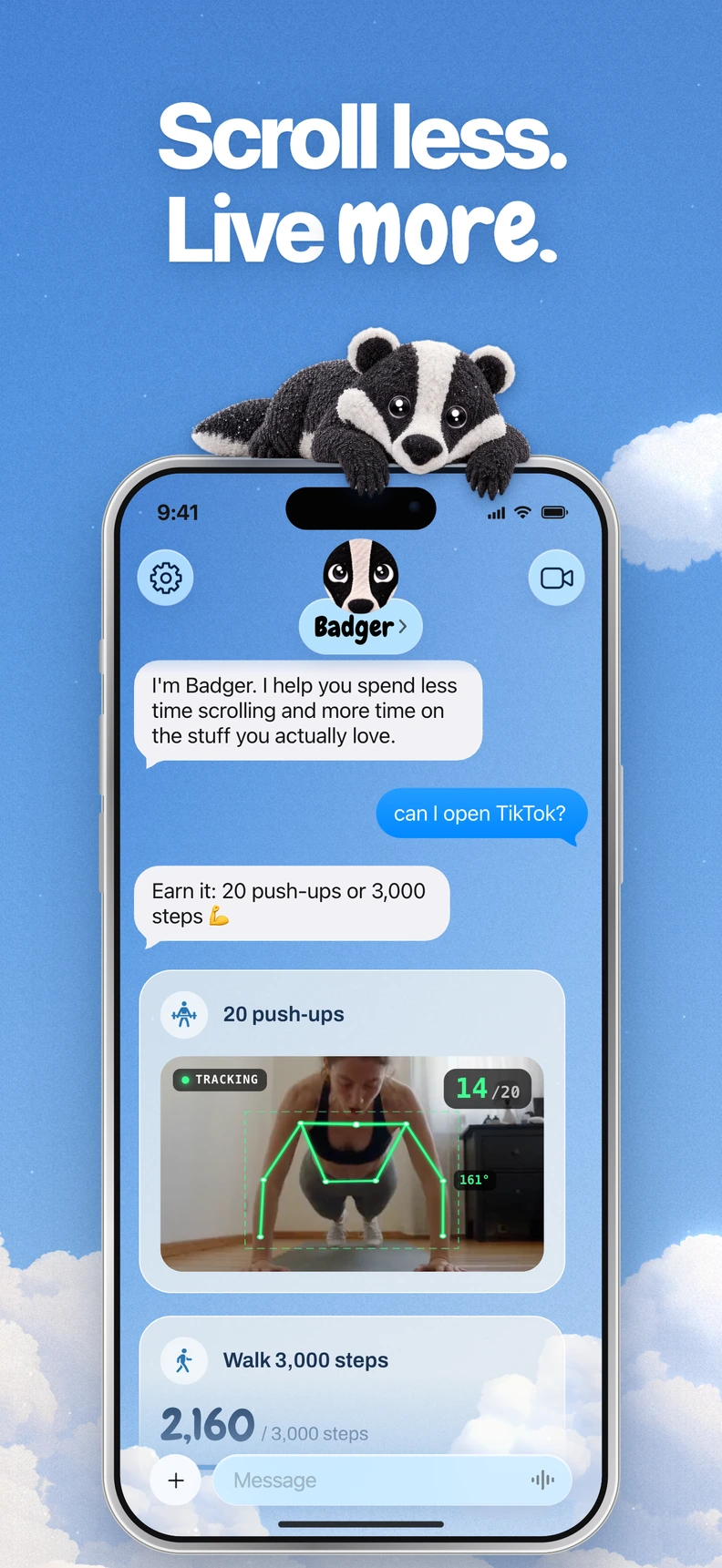
Badger is a personal AI agent focused on one thing: helping you live a more meaningful life. You can text it about what matters to you. It can make a plan, block distracting apps, and help you follow through.
Quick recommendation
Use Badger if: you want to block apps that are distracting you on your iPhone. Select apps you want to block from the list that Apple provides. Authorize Screen Time. Let an agent remember the goals and context you share, help you formulate plans, check in with you, and revise your plan if something's not working. You can also structure plans that require you to do something else before gaining access to your apps (such as walking a new number of steps, arriving at a gym, or taking a photo). How these plans manifest themselves depends on each plan.
Use Cold Turkey if: you want desktop-level blocking settings that are customizable for your working or learning environment. The free version of this tool will let you block websites, add website exceptions, set time-based blocks, and track your progress. The Pro version enables you to block apps, create schedule rules, use lock functions, and create breaks and allowances. You can take advantage of a seven-day trial of this option.
Side-by-side
| Feature | Badger | Cold Turkey Blocker |
|---|---|---|
| Devices | iPhone (and iPad on iPadOS 18+), requires iOS 18 or later | Windows and macOS only |
| How blocking works | You select apps from Apple's list, organize them into named groups, and authorize Screen Time; an agent negotiates access according to your plan | A desktop app that allows you to configure website and app blocking settings |
| How access is granted | According to your plan, such as taking new walking steps or arriving at a gym (you can also discuss this with the agent). Can also be unblocked in emergency situations without AI approval | Access depends on the active block and any permitted breaks. Locks control when a block may be changed, using options such as a timer, time range, text, delay, schedule, restart or password |
| Personalized assistance | An agent that remembers the goals and context you share, checks in proactively, and revises your plan when something's not working | You configure the blocking and break settings yourself |
| Price model | Free to download and use, with a weekly AI allowance and no subscription on the current pricing page | A free version and a one-time Pro purchase covering the computers you personally use, with lifetime updates |
Information on Cold Turkey compared in this section is as of November 2026, taken from the product page and pricing page, while information on Badger is taken from the App Store page and website.
Three key deciding factors
You have phone distractions. If you like to mindlessly scroll at night, if you find yourself turning to a social app repeatedly when having a conversation, or if you have a game that you can't stop playing on your commute, you need a solution that works on your phone. Cold Turkey doesn't work on iOS, so Badger is an option built for this device. You can check the resulting block by trying to open a selected app on your iPhone, and get troubleshooting help if issues arise.
You have computer distractions. If you fall down a research rabbit hole while working, fall victim to distraction while using video apps when studying, or have an app you can't stop playing on your laptop, you need a solution that works on your computer. Cold Turkey is built for this kind of computer blocking. You can configure a lock that requires typing text or waiting before a block may be changed, or set a schedule for blocking sessions. You can currently choose to activate the Pause for a Cause feature (by donating to WWF, you can take a ten-minute break); Block Strictness settings allow you to deactivate it. Cold Turkey Pro separately offers timed Pomodoro sessions, allowances, rewards, and session limits.
You want block settings that relate to your intentions. This is the key philosophical difference between Badger and Cold Turkey besides the fact that they work on different devices. Cold Turkey is all about your ability to create rules and abide by them. Badger, on the other hand, is all about an agent that remembers the goals you share and negotiates access around your plan. Let's say you start a session to research for work, take a planned break, and try to avoid an unwanted 1 a.m. scroll – in all of these scenarios, you can be using the same app. But only you know what your true intentions are in that moment. Badger isn't a mind reader, but you can relay what your goals are and let the agent adjust the plan if an approach doesn't work for you. That conversation and revision cycle is the main thing that makes these tools different. Learn more by reading the guide to AI app blockers.
A quick decision-making framework
- What device is the distractor on? This question alone can solve most of this.
- Do you want to make a flexible plan with an agent, or configure the logic yourself?
- Do you want access to depend on something besides time? A task? A target?
- Are you OK with a one-time purchase for Pro desktop features, or with a free iPhone app that has a weekly AI allowance?
- Do you want both? You could use Cold Turkey to block your laptop and Badger to block your phone.
FAQ
Can I use both? Yes. They target different devices, so they can complement each other. It's reasonable, for example, to block a desktop browser in the evening and a phone feed in the morning.
Can either of them be bypassed? Cold Turkey offers configurable locks; review its lock and break settings before starting a session. Badger can be bypassed or removed, and repeated requests to the agent do not guarantee that an active commitment is cancelled.
Does Badger need another AI assistant to work? No, you can text Badger directly. A compatible external assistant can optionally connect via MCP/OAuth to list authorized groups and request blocks or unblocks with a reason; the connect guide covers setup.
How to proceed
If you are looking for a phone-blocking app, try Badger from the App Store and use the app picker to select two or three apps. Then, make your first plan and try it out before bed tonight. The guide on how to block apps on iPhone will guide you through it. If you need a Windows or Mac blocker, try the free edition of Cold Turkey, block the top website that causes you to lose time, and decide whether the Pro features are worth buying after the trial. For a detailed comparison with other blockers, check out the full comparison section.
Sources
Questions or corrections? Use Badger Support. More on the Badger blog.