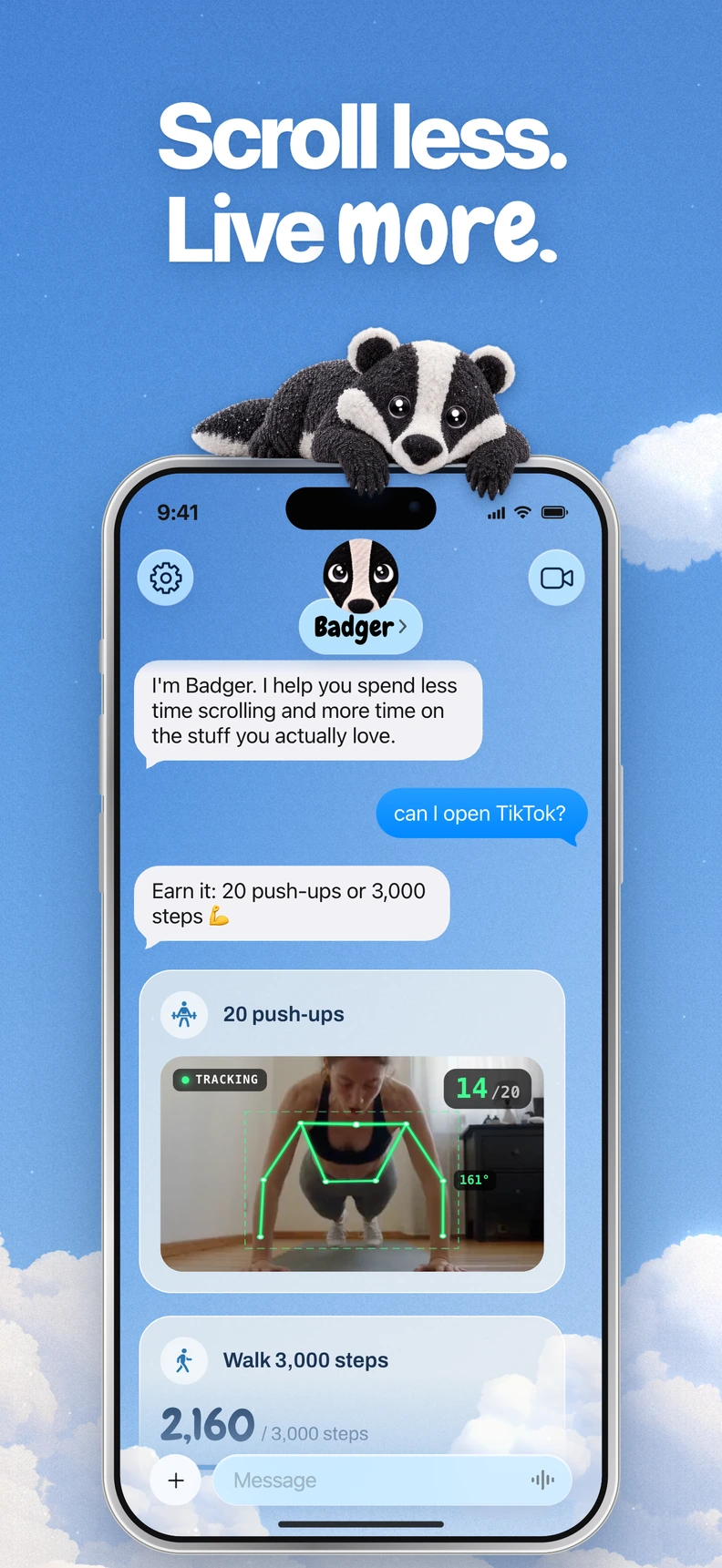


If you want a personal AI agent focused on helping you live a more meaningful life, start with Badger. You can text it about your goals, and it can help you take action, including blocking distracting apps. If you just want an app blocker with a certain type of unlocking method (say, by having an unlock dialogue, or negotiating extended time), Superhappy or Zario may fit your use case better.
AI is a label that gets slapped on all kinds of tools and features. Some block apps until you have a dialogue with an AI, others evaluate an image you upload as proof, and others make recommendations based on your usage statistics. What's important isn't the two letters in the app icon, but rather when and how an AI tool kicks in. What happens when you tap a blocked app? What does the tool do next?
How AI Shapes the Experience
Your experience with the same app can vary across three different moments. You're on it for work – researching a competitor. You're on it for a planned 20-minute break. You're scrolling mindlessly at 1 a.m. when you should be asleep. A single unchanging rule cannot distinguish your reasons for opening it; schedules and other controls can handle some of the differences. You want something that lets you talk to it about what you really want, test a strategy, and modify it when the strategy doesn't work.
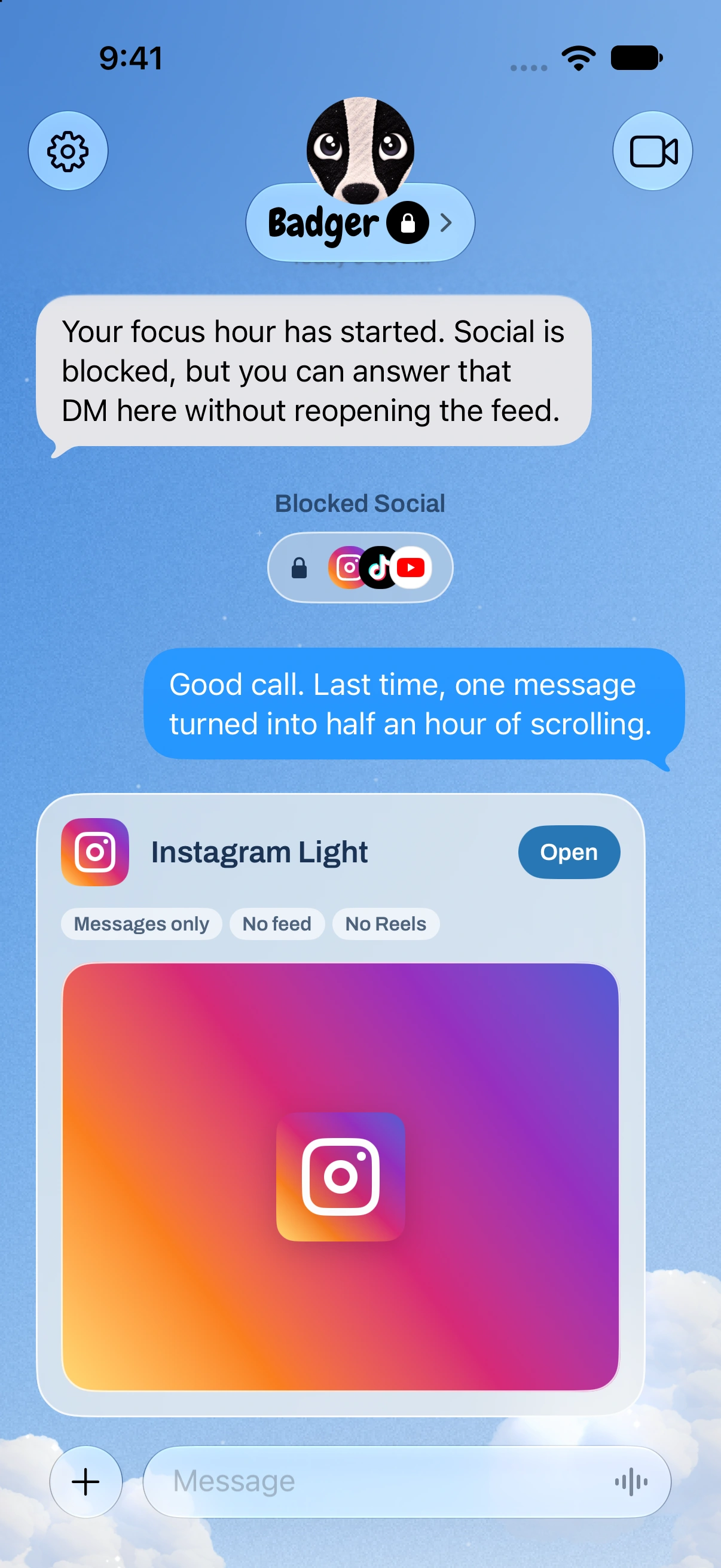
It helps to distinguish documented unlock flows from broader planning support. You can text Badger about the goals and context you want it to consider. It can check in, take action on app access, and adjust the plan when the approach does not fit. An unlock conversation alone does not tell you everything about another app's memory or coaching capabilities.
Comparison Chart
| App | How the AI Shapes the Experience | Platform | Tradeoff |
|---|---|---|---|
| Badger | Personal AI agent you can text; it remembers shared goals, checks in proactively, acts on app access, and adapts a goal-linked plan | iPhone and iPad, iOS and iPadOS 18 or later | iPhone-focused; no Android or native desktop blocking |
| Superhappy | AI coaching dialogue to unlock blocked apps with time-limited access before it blocks again | iPhone | Some features require Premium |
| Zario | On iOS, an AI coach can grant or refuse additional access | iPhone and Android | Android listing emphasizes different features; confirm current payment terms |
| Jomo | One of several unlock methods: AI-reviewed proof, Apple Health activity | iPhone and Mac | Documents AI-reviewed proof as an unlock method |
| StayFree | Wellbeing Coach offers personalized recommendations based on usage history | iOS, Android, Windows, Mac, Linux, browser extensions, Wear OS | Features vary by platform |
This comparison is based on vendor feature documentation as of November 2026. It is not based on testing.
Badger: A Personal AI Agent for a More Meaningful Life
Badger is a personal AI agent focused on one thing: helping you live a more meaningful life. You can text it about what matters to you. It can make a plan, block distracting apps, and help you follow through. One way it can help is as an iPhone app blocker. You select distracting apps using Apple's built-in picker and authorize Screen Time. Badger then lets you sort distracting apps into named groups and make a plan with Badger. You can set up the plan so app access is based on a goal – new walking steps, a daily step target, getting to the gym, taking a photo, or some other supported activity. You're not required to earn every app unlock using exercise.
Badger can remember the goals and context you share and adapt its plan when an approach doesn't work. If something truly comes up, you can discuss it, though repeated requests don't guarantee an active commitment will be cancelled. Badger has an emergency unblock that doesn't require AI approval or AI credits. Of course, Badger can be circumvented or uninstalled. That's why it relies on making a strategy that you actually want. With Light social views and generated mini apps, Badger gives you somewhere to go other than the full distracting feed. Badger is free to download and use today with a weekly AI allowance. For the latest allowance and emergency details, see the pricing page.
Superhappy and Zario: AI at the Moment of Unlocking
Superhappy brands itself as an AI screen-time coach. Superhappy's documented flow is simple: It lets you block apps, and then you're able to unlock an app by going through an intentional dialogue with its AI coach. Superhappy then provides time-limited access to the app until it blocks again. Superhappy also offers daily limits, streaks, and different apps blocked at different times of the day.
Superhappy is free to download, and some features are behind Premium. Superhappy makes sense if you want the dialogue at the moment of temptation.
Similarly, Zario is a negotiation-style app. The iOS description says an AI coach can allow or deny your requests for more access. Its website lists features like focus schedules, Quick Block, session limits, and Strict Mode. Its iOS listing describes a free trial followed by paid subscriptions; confirm current prices in-app. Separately, the website describes asking the AI or paying a $2 accountability fee as ways to exit Strict Mode. Zario also has an Android app, but its Android listing emphasizes tracking and mindful pauses, so check the platform-specific details before choosing.
Superhappy and Zario both document AI access decisions: Superhappy describes an unlock conversation, while Zario describes negotiating extra access. With Badger, you can discuss your goals, put a plan into action, and change it as your needs change. These descriptions do not establish that other apps lack memory or broader coaching.
Jomo and StayFree: Gates and Guidance
Jomo is a rule-based app with an AI gate in addition to several others. Some ways to unlock apps in Jomo include AI-reviewed proof, a delay timer, inputting a reason, typing a specified passage, entering a password, or scanning a QR code. Jomo also supports app-blocking sessions, schedules, time limits, reusable app groups, and Apple Health integration (walking is one example). On Mac, it also lets you complete tasks to unlock websites. Its pricing ranges from free to $29.99 per year to $99.99 for a one-time purchase with family sharing. If you need a structure that you can customize on Apple devices, Jomo is a good option.
StayFree supports iOS, Android, Windows, Mac, Linux, browser extensions, and Wear OS, with platform-specific features. Its website also lists instant blocking, schedules, daily and session limits, and cross-device stats. The iOS 3.14 release in September 2026 added a Wellbeing Coach, which gives personalized screen-time tips based on your history. Its Coach offers recommendations based on usage history, a different role from Badger's personal agent, which can take action on app access. If multi-device support and reporting drive your decision, StayFree may fit.
Optional: Connect an Outside Assistant
If you do use an outside assistant, you can optionally connect it to Badger via MCP/OAuth so it can list your authorized groups and request blocks and unblocks with a reason. This doesn't allow the assistant access to your usage history or general iPhone control. For details, see gobadger.app/connect/setup. You don't have to use a second assistant to use Badger.
How to Choose
- Figure out if you want a persistent agent, a negotiation on unlock, or a customizable rules system.
- Check that the app supports the devices you need. Are there Mac and/or Android requirements?
- Review what happens if a plan fails. Is there a negotiation, fee, timer, or emergency unlock option?
- Review pricing to see if things like Superhappy Premium or Jomo's paid plans change the value of the app.
If the agent-and-plan approach fits, download Badger from the App Store. Use how to block apps on iPhone to set up your first group and plan.
Sources
Questions or corrections? Use Badger Support. More on the Badger blog.