

Put the phone in another room. Set a timer. Try harder tomorrow. You've heard all three, and if you're anything like the people who read this blog, none of them stuck for more than a week.
The reason is simple. By the time you decide to open Instagram, the decision is already finished. Your focus dipped minutes earlier, while the phone sat there doing nothing at all. The popular advice starts one step too late, because it asks you to resist a choice you've already made.
What works is less dramatic and more useful. Change what's near you so the cue never fires, then have one specific thing ready for the gap where the scroll used to live. That's the whole method for improving attention span. Everything below is how to run it.
Why Your Focus Slips Before You Open an App
Your attention can take a hit before you touch your phone.
In a 2023 study published in Scientific Reports, participants took the d2-R attention test with a smartphone either present or absent. The group with a phone nearby scored lower on attention performance and working speed. Nobody had to be scrolling or answering messages. The phone's presence was enough to be associated with a difference.
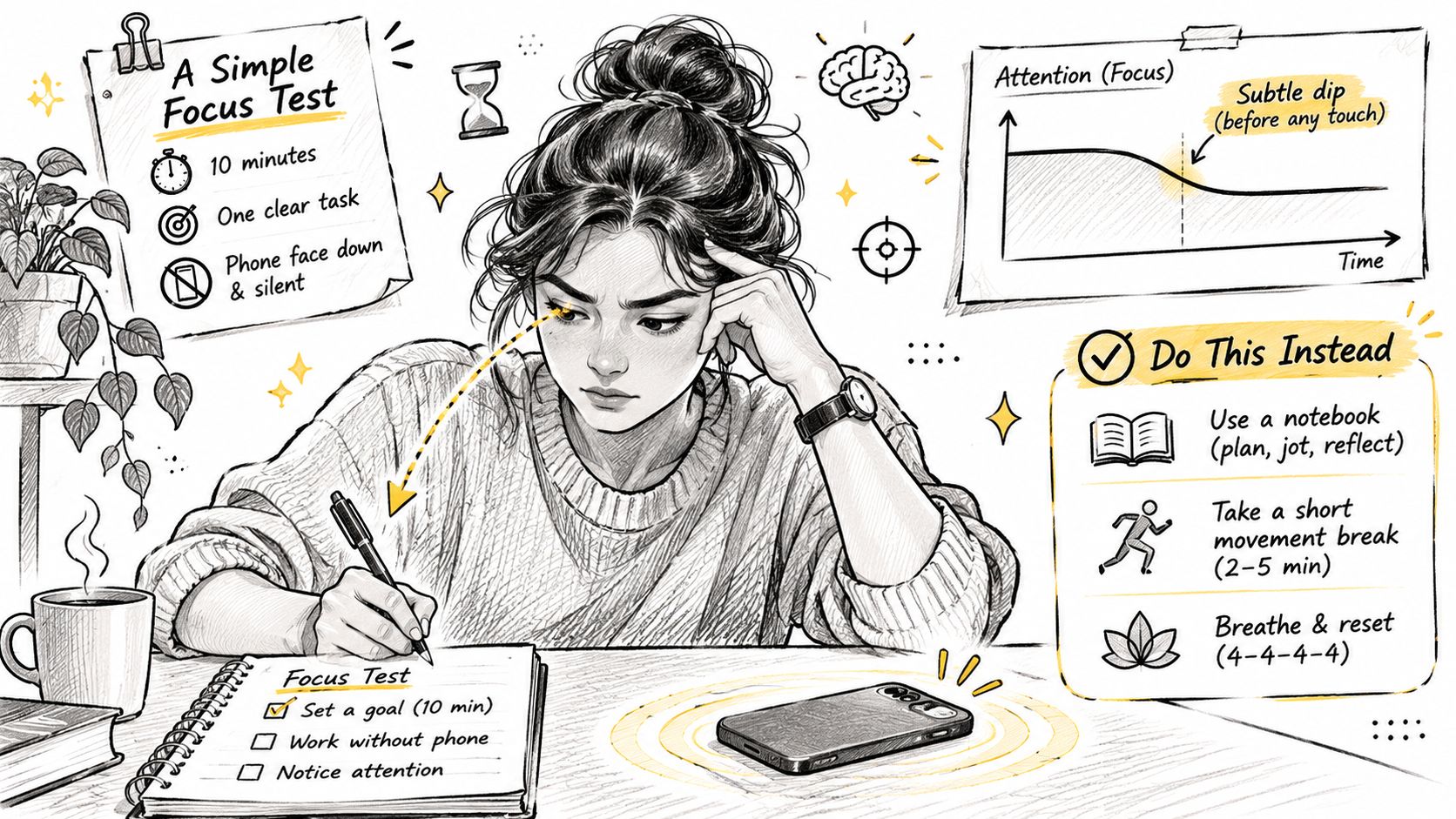
On average, a nearby phone is linked to worse attention-test performance, though the effect varies from person to person. It doesn't mean everyone loses the same amount, or that a friend who studies with her phone on the desk is struggling. It means the device can compete for attention even when it stays untouched.
A work surface has limited room for concentration. Each buzz, glance at a lit screen, or reopened tab adds another demand. The distraction doesn't have to be urgent to take up space.
Three common cues make that space harder to protect:
- A phone in view. Even when silent, it can draw attention by being nearby.
- A pinging alert. A notification can disrupt focus even if you don't respond.
- An unfinished tab. The paused video, open chat, or half-read article keeps inviting another look.
The cue arrives before the decision. When the phone is already in view, part of your attention may be on it before you choose to open an app. Improving attention span starts with changing the conditions around that choice, then giving the gap a specific replacement. That's more useful than treating every glance as a test of character.
Trigger-by-Trigger Fixes You Can Start Today
It's tempting to try to fix everything at once: five timers, three blockers, grayscale mode, a new planner. Then a normal Tuesday happens, one workaround gets through, and the whole setup feels like evidence you can't be helped. Pick one trigger instead.
| Trigger | What It Does to Focus | Fix to Try Today |
|---|---|---|
| Phone on the desk | Pulls attention even when silent | Move it to another room during focus blocks |
| Visual pop-up alerts | Cause more errors than sounds | Turn off banners for work and study apps |
| Open feed on the couch | Turns a quick check into a long one | Move feed apps off the home screen |
| Switching between tabs and chats | Breaks the thread of the task each time | Keep one task window open |
| Bored gap between tasks | Hand reaches for the phone on autopilot | Keep a ready replacement like a book or a short walk |
| Late-night scrolling | Pushes bedtime and next day's focus | Charge the phone outside the bedroom |
Two triggers in a real day
A student revising for a test sits down with a laptop, notes, a highlighter and a phone face up next to the keyboard. Studying goes fine for four minutes, the phone lights up with a group chat, and twenty minutes disappear. The fix isn't a stricter blocker. It's the other room, plus a paper list of three problems to finish before the next break.
A worker keeps YouTube open in a browser tab "for later." Every slow minute, the tab is sitting there, one click away, and the click costs fifteen minutes. Closing the tab and keeping a single window on the task removes a decision rather than trying to win it.
The catch with turning off notifications
Turning pings off feels like the obvious first move, and it's only half a move. In a preregistered randomized controlled trial with 205 participants, switching off notifications for one week changed neither checking frequency nor total smartphone screen time, as reported in Media Psychology. Fewer interruptions is still worth having, but the habit loop doesn't collapse on its own.
That's why the banner fix has to come with a second half. If the ping that used to pull you into a feed is gone, the bored gap still shows up, and your hand still reaches. Give it a target: the book on the arm of the couch, the sketch pad by the kettle, the walk around the block when a task ends.
Practical rule: never remove a trigger without naming what replaces it, or you've just made the gap quieter.
Pick the one you hit most this week
Look back seven days and name the trigger that cost you the most time. Not all six. One. Fix that, give it a week, then take the next.
Late-night scrolling is usually the wrong one to start with, because it's downstream of a day that already went sideways. Start where you have the most influence: the desk and the couch.
How to Run a Focus Block Step by Step
A focus block is the cheapest test of everything above. One task, ten minutes, no phone within reach. Here's how to run your first one so it doesn't become a 45-minute plan you quit by lunch.
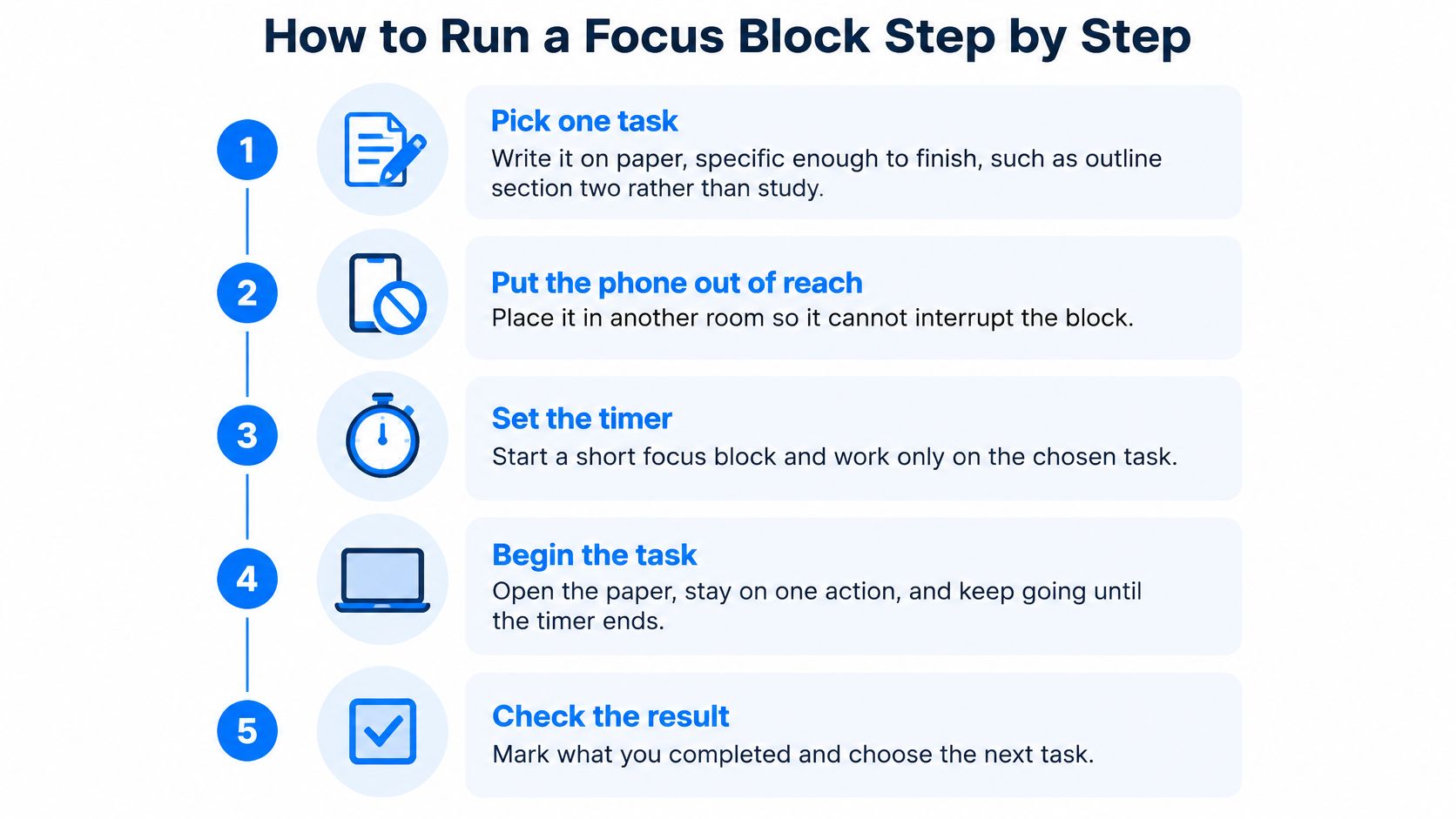
- Pick one task and write it on paper. "Outline section two" works. "Study" doesn't, because there's no finish line to aim for. The usual slip is choosing something so broad that you spend the block deciding where to start.
- Put the phone out of reach. Another room beats another pocket, since a pocket still leaves a lit screen one grab away. Leaving it face down on the desk and calling that distance is the most common mistake here.
- Set a 10-minute timer. Short beats long on a first run. A 45-minute timer on day one feels heroic for eight minutes, then proves you can't focus.
- Work until it ends. When a stray thought arrives (a reply you owe, something to buy, a person to text), put it on the paper and go back to the task. That return is the rep that trains attention. Skipping it is the whole failure mode.
- Break away from screens. Walk to the kitchen or stand outside for a few minutes. A quasi-randomized study of children and adolescents found that a nature condition beat an urban condition on alerting reaction time (d = 0.85) and orienting error rate (d = 1.45), but didn't improve stimulus-driven attention, according to the attention restoration study. The participants were young, so don't borrow those effect sizes wholesale. The useful read is narrower: a short outdoor break may help deliberate focus without making you jump at every notification.
- Tick it off. A paper sheet next to the desk works better than an app here, because you can see a week of ticks at a glance and there's nothing to tap through.
- Build up gradually. After a week of blocks you finished, move to 15 minutes, then longer. Jumping to an hour after three good days is how many people quit.
The logic in step four shows up in skill practice everywhere. TrueFire's guitar practice tips make the same argument: short, deliberate reps with full attention beat one long session where your hands move and your mind wanders. If the task you keep abandoning is reading, how to concentrate when reading walks through the same return-the-attention loop with a page in front of you.
What a good first week looks like
Most blocks finished. A few drifts noticed without turning into a story about your brain being broken.
The bar to clear: finish the block, not the task.
If you'd rather watch this once before trying it, this walkthrough runs through the same structure.
Give Your Freed Time Something to Do
Block the app and you get a locked screen. That's the entire payoff. The slot where the scroll lived is still there, still empty, and boredom fills empty slots fast. What helps in that moment is a next action already decided before the moment arrives.
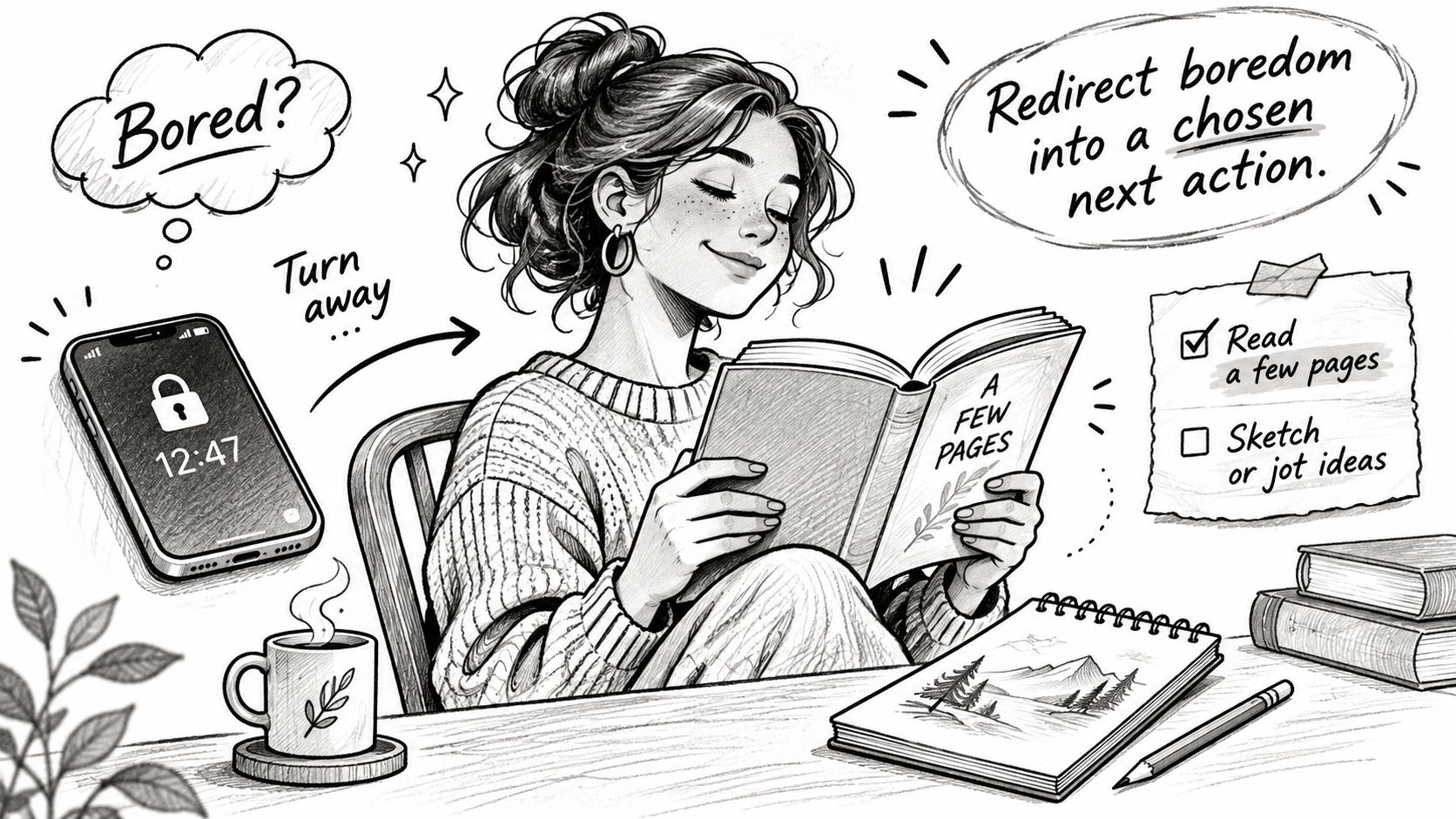
A good replacement is small enough to start in the first minute and specific enough that you never have to choose. Reading a few pages. Drawing something rough. Practicing a few words of Spanish. A walk after lunch. One clear move you can start before the urge argues back.
What a pact actually is
A pact is one simple promise kept with a small group of people. Pacts like Walk more, Read more, Learn Spanish, Draw or Touch grass work because each one describes what you do rather than how it should feel. You read a few pages every day. You walk after work. You sketch something small.
There's no single step count or routine that fits everyone, so the target comes from the plan you make rather than a number handed to you. That matters because a target you chose survives a bad week, and an assigned one usually doesn't.
The habit timeline nobody quotes correctly
Habit advice online is full of tidy numbers. The data is messier. In a 2010 study led by Phillippa Lally at University College London, 96 adults practiced a new health-related behavior once a day for 84 days. Among the 82 who finished, the median time to reach peak automaticity was 66 days, with individual results ranging from 18 to 254 days, per the UCL habit formation study. The biggest gains came early, then leveled off.
Two things follow. Missing one day erases nothing, so a skipped Tuesday costs you a day rather than the habit itself. And a small daily action beats waiting for motivation, especially when other people can see whether you showed up.
Why a group beats a checklist: seeing that a friend already did today's pact makes showing up easier than a private tick ever does.
Inside a group you see your own progress, who has done today's action, and a chat where you can poke whoever hasn't. That poke is the whole mechanism: a small amount of useful pressure plus shared momentum.
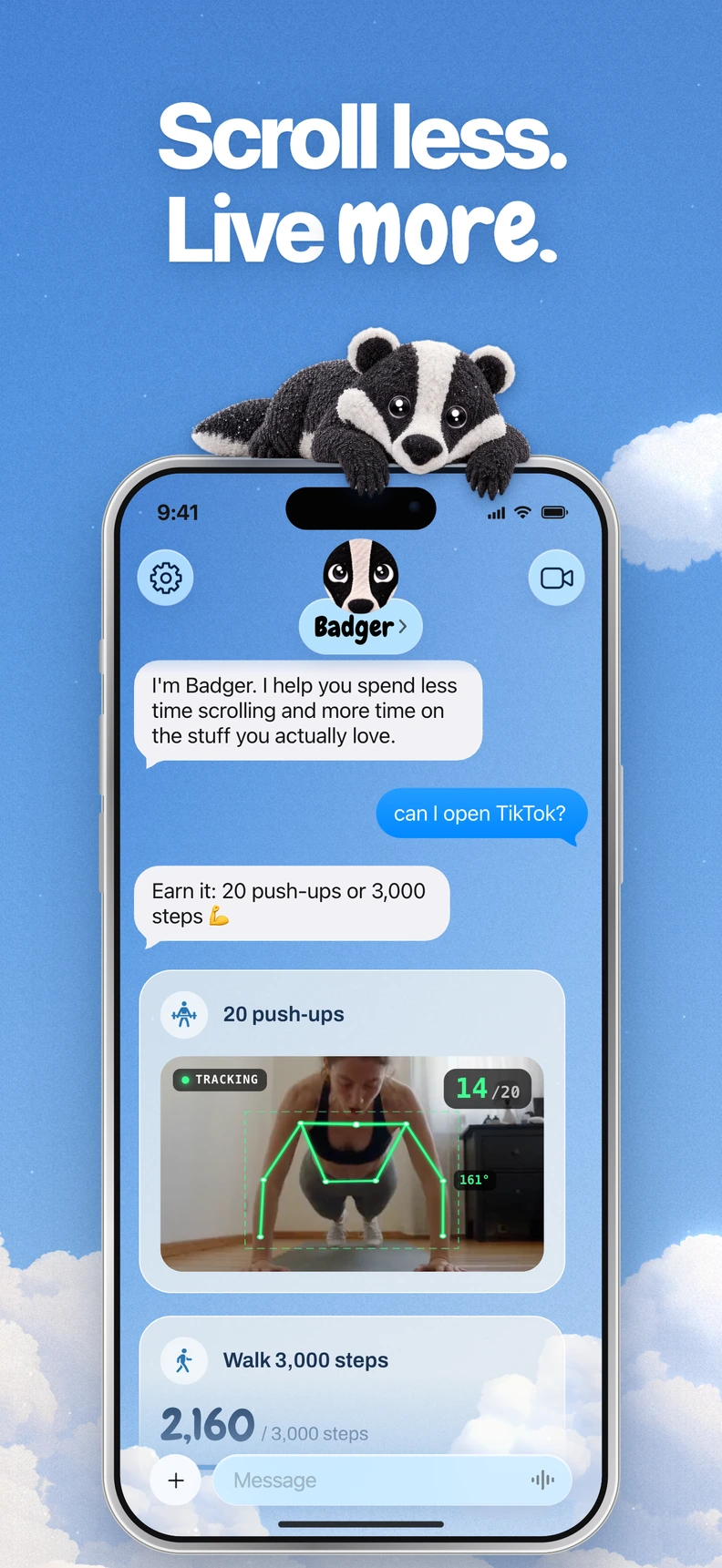
Badger can suggest a pact in the chat and bring up the one you said you wanted when you've been scrolling too long. If the harder problem is starting anything at all, time management for procrastinators covers the front end of that.
Pick one pact and one replacement for tonight. That is the whole test. If the blocked app opens to a wall and the book is already on your desk, the gap fills itself.
Where App Blockers Help and Where They Fall Short
You've already run this experiment. A blocker feels steel-plated for four days, then you find the workaround, and now you have a subscription and a slightly worse opinion of yourself. The tools aren't useless. They're just solving one slice of the problem.
| Approach | What It Does Well | Where It Falls Short |
|---|---|---|
| Built-in Screen Time limits | Free with the iPhone and simple to set | Timers you can tap through, with no replacement activity |
| Hard-lock app blockers | Strong locks for exam weeks and deadlines | One rule for everyone and a locked screen with nothing to do |
| Personal agent like Badger | Steps in based on how long you have been on chosen apps and adapts strictness | Depends on a plan you set up and works best when you keep talking to it |
Screen Time limits earn their place. They're free, they take a minute to set, and for some people that's enough. The weakness is that the limit is a speed bump you personally approved, on a day when you had willpower to spare.
Hard-lock blockers are the right answer for a deadline week. They're strict, they don't negotiate, and that's the point. The cost is that the same rule applies whether you're on hour two of a study session or half asleep on a Sunday.
The pings your blocker never sees
A study of 20 people collected 10,372 real-world notifications and 474 questionnaire responses, then compared how people reacted to different alerts while doing different tasks, as detailed in the CHI notification study. Disruption depended on the alert type, who sent it, and how far along the task already was. Even useful notifications interrupted people.
That's the gap. Blocking Instagram doesn't stop the group chat. And the better-behaved your blocked apps are, the more the remaining pings own your attention.
What an internet block can and can't do
The strongest recent evidence is about scope rather than cleverness. In a 2025 randomized controlled trial published in PNAS Nexus, participants who blocked mobile internet for two weeks, while keeping calls, texts and desktop internet, improved on objectively measured sustained attention, mental health and subjective well-being. 91% improved on at least one outcome. The mechanism wasn't just less screen time. People spent more time socializing in person, exercising and being in nature.
That last part is the honest trade-off in the table above. Removing access frees something up. What you do with the freed time decides whether it lasts.
If your blocker handles the apps, a separate daily check-in can cover the rest of the day. Luno's Self Care app is built for that reflection layer, mood and routine rather than app enforcement. And if YouTube specifically is the app that keeps winning, blocking YouTube videos covers the settings side.
The one question to ask before you install anything
What happens when you tap a blocked app, and what does the tool do next?
If the answer is "a wall," you've bought a speed bump. If the answer is "it gives me something else to do," you've found something closer to a fix.
Tracking Progress Without Guessing
Feeling more focused and being more focused are two different things, and they don't arrive in the same order. So track behavior alongside mood, and keep the tracking light enough that you'll still do it in three weeks.
| Measure | How to Check It | How Often |
|---|---|---|
| Uninterrupted reading time | Minutes on one chapter or article before a break | Weekly |
| Unplanned app opens | Count pickups you did not plan, using Screen Time pickups as a rough guide | Daily |
| Completed focus blocks | Ticks on your tick sheet | Daily |
| Self-rated focus | Score how focused you felt on a 1 to 5 scale at the end of the day | Weekly |
How to read the numbers
A rising trend across two to three weeks means more than one great day or one terrible one. Single days are noise, especially Mondays.
Expect a mismatch somewhere. You may feel sharper before any number moves, and the numbers may move before you notice anything. Neither is a reason to change the plan.
The rule when a metric stalls: change the trigger or the replacement, not the goal.
Say a student tracks reading time for two weeks. It grows from scattered short stretches to a full chapter in one sitting, while their focus still feels aggressively average. The behavior moved. The feeling catches up later, and the behavior is the part that shows up in an exam.
Four measures is plenty. A fifth turns tracking into a hobby, which is its own kind of scrolling. If you want a structured way to review progress without turning it into a spreadsheet project, progress monitoring in thesis projects shows how to keep a weekly review short and evidence-based.
Confirm Your Next Step Today
One job today, three small parts.
Pick the trigger row that cost you the most this week. Set a ten-minute focus block for this afternoon with the phone in another room. Then name the replacement for the gap after it, something you can start in under a minute: one chapter, a walk around the block, a chess puzzle, five Spanish words.
Keep the replacement close enough that starting is easier than opening the phone. If the gap stays empty, the old app wins by default. A concrete next move gives your attention somewhere to land before the scroll begins.
Run the same setup for a week and watch where it breaks. The answer is usually a place, a time, or a feeling: the desk after lunch, the couch at night, the phone by the bed when willpower is lowest. Change that trigger first, not the whole routine.
If you want help before the scroll starts, Badger is a personal agent for iPhone. You text it what you want to get better at, it makes a plan with you, blocks the apps you choose, and adjusts when the day changes. The quickest test is one download and one ten-minute block: Badger.
Run one block before you bargain with yourself. Ten quiet minutes will show what your attention does when nothing is competing for it.
Questions or corrections? Use Badger Support. More on the Badger blog.