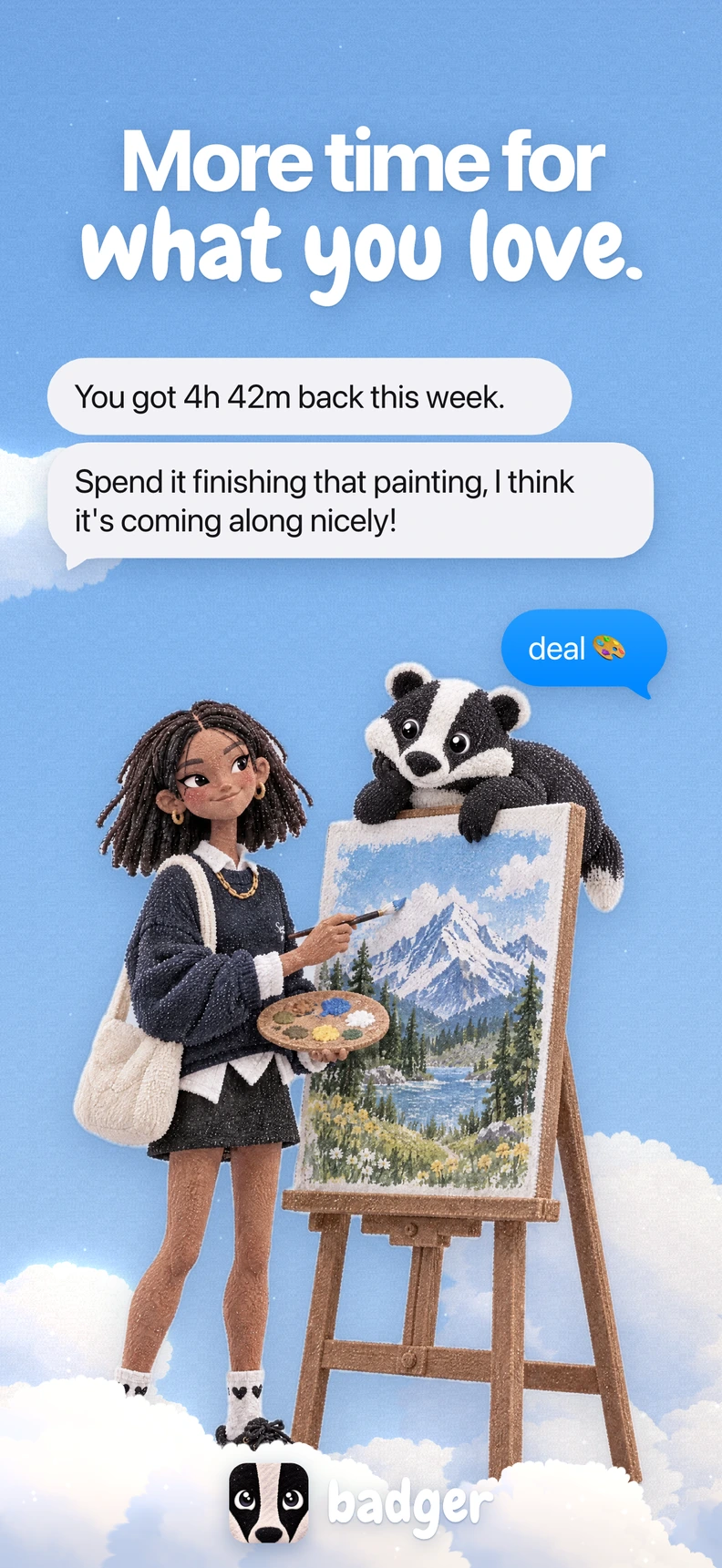


You opened Instagram to reply to someone. Now you're on TikTok, your tea's cold, and you're watching another video about something you weren't worried about before. You've already tried an app blocker. You also know exactly how to get around it.
You don't need another lecture about putting your phone down. You need a next move that's easy enough to choose when you're tired. Learning how to stop doomscrolling starts with deciding what you want to do instead, whether that's getting fitter, learning Spanish, or finally getting decent at chess.
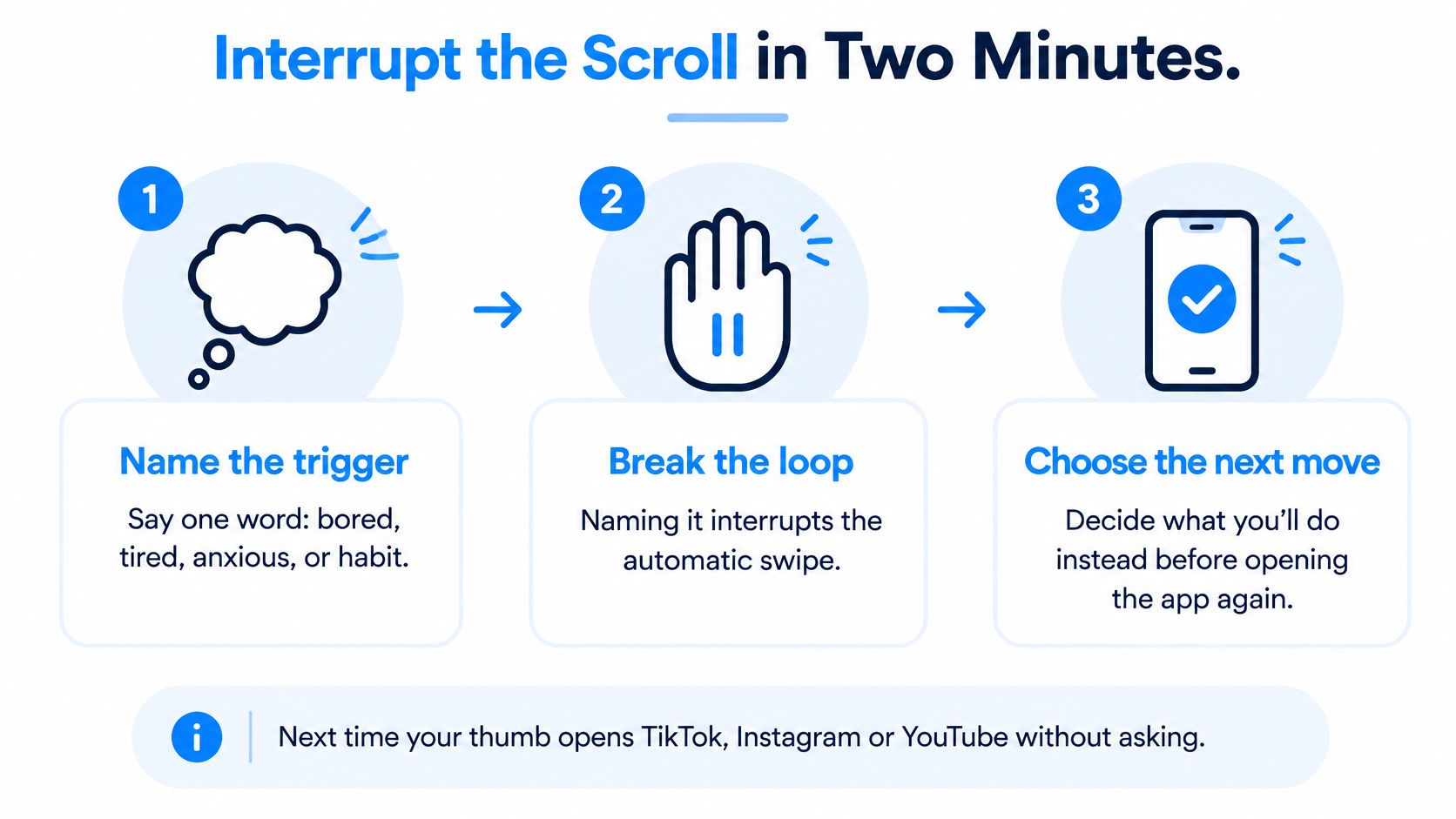
Interrupt the Scroll in Two Minutes
The next time your thumb opens TikTok, Instagram or YouTube without asking, try this routine. Don't aim for a perfect evening. Just give yourself a deliberate exit from this session.
Name the trigger in one word. Try bored, tired, anxious, or habit. You're not diagnosing yourself, just noticing what you wanted from the app before you keep going.
Put the phone face down and stand up. Change your position so you're not trying to make a different choice while holding the feed open. If standing isn't comfortable or possible, put the phone out of reach and shift your attention to something nearby.
Pause for at least 60 seconds. Let the urge be there without immediately following it. Count or use a timer, but don't turn the pause into a quick notification check.
Start something that begins in under two minutes. Walk to the kitchen and back, open a chess puzzle, read a page, or practice a word in a language app. Keep the book, shoes, or sketchpad within reach so choosing doesn't become another task.
Check again after 10 to 30 minutes. Did you reopen the feed, and what pulled you back? If you returned because the alternative felt demanding or dull, change the alternative rather than declaring the whole attempt useless.
Keep the sequence somewhere you can spot it before opening the feed.
Make the exit easier than another swipe
The practical principle is low-friction substitution, not just interruption. In a randomized intervention study published in JMIR mHealth and uHealth, reminders stopped further app use within one minute in 33% of reminder events during week two. That's useful, but it's hardly a magic off switch.
Use a prompt you can act on, not a stream of warnings you'll learn to dismiss. Closing Instagram means little if you open YouTube immediately afterward.
If moving sounds better than sitting with a book, SuperStrong's stair climbs and wall sit ideas offer concrete options for a movement break. Choose something comfortable for your body, not a surprise fitness test.
Practical rule: Success means the feed is closed, the alternative has started, and you didn't obey the next urge immediately.
Match Your Trigger to the Right Fix
A gentle nudge makes sense when you're checking something on purpose. A firmer interruption, paired with an easy alternative, may suit the late-night scroll you didn't mean to start. The same app can need different rules in different moments.
A study published through the Association for Computing Machinery found that responses to anti-scrolling interventions changed with context, including sleepiness, location, and the emotional tone of the content. Treat the suggestions below as starting points to test, not personality types you're stuck with.
Trigger states, first fixes and replacements
| Trigger | What is happening | Fix to try first | Replacement that fits |
|---|---|---|---|
| Automatic habit | Your thumb opens the app before you decide to | Move the app off the home screen and out of the dock | Stand up and start a set action from your plan |
| Intentional check | You want one specific update and, say, stay for twenty minutes | Open it with a stated purpose and close once it's done | Write the thing you wanted in a notes app |
| Emotional coping | You're stressed, lonely or bored | Use a stronger pause and name the feeling out loud | A short walk, a message to your group, or a quick sketch |
| Late-night bedtime check | You scroll in bed and lose track of time | Charge the phone outside the bedroom if you can | Read a few pages of a physical book |
| Low energy | You're too tired for a demanding hobby | Pick the smallest version of the replacement | Lie down with an audiobook or do a chess puzzle |
When the warning lands badly
A warning can be reasonable and still arrive at the wrong moment. When you're worn out, you might ignore it. When you're upset, it can feel like another demand. When you're answering a group chat you need, it gets in the way.
Adjust the timing or strength for that trigger. Don't make every interruption harsher because a bedtime warning failed. Keep purposeful access available, and use more structure around the situation where you keep losing your stopping point.
If your bigger concern is staying with a chosen activity, these practical ideas for improving your attention span can help you shape the time after you leave the feed.
Pick the row that resembles your last accidental long scroll. Try that fix for a week before changing everything. You're testing a setup, not auditioning for a new personality.
Find Your Stopping Point With a Week of Data
Your useful stopping point won't necessarily match your friend's. It might not even match across your own apps. A YouTube tutorial with a clear ending and an Instagram session full of repeated checking deserve different treatment.
Start with a three-to-seven-day baseline for each app that eats your time. Use your phone's usage report alongside a brief note about when browsing stopped feeling intentional. Record total minutes, session count, and the time of day repeated checking began.
Measure the pattern, not just the total
Look for the point where you start reopening the app without a fresh reason. Set an app-specific threshold slightly below that escalation point. When you reach it, close the app, stand up, and begin the replacement you've already chosen.
Review weekly. Lower the threshold gradually only when you're following the current plan steadily. Don't tighten it because you had an unusually motivated afternoon.
A systematic review in Mobile Media & Communication examined 21 studies involving 3,625 participants and found consistent reductions in smartphone or app use, while effects on well-being and self-control were inconsistent. Less use is a measurable change, but it doesn't automatically mean you feel or function better.
A smaller screen-time number isn't proof that you're sleeping better, feeling calmer, or doing more of what matters to you.
Keep a separate evening note: Did you do the replacement? How rested or calm did you feel? What still felt difficult?
For a manageable way to spot recurring moods, Life Calendar explains how weekly reviews reveal emotional patterns. Use that reflection to distinguish a limit that helps from a limit you spend the evening fighting.
If strictness leads to a rebound binge, loosen the threshold and retry. A workable boundary beats a dramatic rule you abandon.
Four-phase stopping point plan
| Phase | When | What to do | Move on when |
|---|---|---|---|
| Baseline | Days 1 through 3 to 7 | Record minutes, session count and when repeat checking starts | You can name the time of day your scrolling peaks |
| Set threshold | After baseline | Set a limit slightly below the escalation point for each app | The threshold feels doable on most days |
| Weekly review | Every 7 days | Lower the threshold a little only if you kept it steadily | Your replacement happens more often than the old habit |
| Rebound check | Any week | If you binge after a strict limit, loosen it and retry | Your use returns to a level you can keep |
Set Up Screen Time for the Apps That Eat Your Night
The bedtime check deserves attention if it's where you keep getting stuck. A sleep researcher's explanation in The Conversation describes findings that frequent social-media visits and emotional investment were stronger predictors of sleep problems than total screen time. That's an association, not proof that scrolling caused someone's poor sleep.
So don't only ask how long you were online. Notice whether you keep checking after you've decided to settle down.
Choose targets without disabling your life
Open Settings, then Screen Time on your iPhone. If you're using a separate tool, review and grant the Screen Time access it requests only if you're comfortable with it. Authorization lets you set up controls, but choosing the right targets is still your job.
Select the specific distracting apps or websites. Apple's support guidance describes allowing or blocking selected apps and websites rather than treating the whole phone as the target. Choose the feeds that derail your evening, not everything with an icon.
Apply the limits to those selections and test them for a day. Try opening a selected app and check that an unrelated useful app still works. If you need more help with the setup, follow the guide to blocking apps with Screen Time.
Leave urgent essentials out. Don't lock apps you may need for calls, messaging, maps, medical care, or work you must answer. A boundary should support your evening, not make necessary access a negotiation.
Keep an escape route and a reset
If you get past a limit, note the time and reason. Did you need a message, want more entertainment, or dislike being stopped? Reset around that specific problem instead of adding restrictions everywhere.
Traditional blockers do a useful job when you want a clear boundary around an app. Their limitation is what happens afterward: a locked screen doesn't tell you how to spend the break.
Keep control: You can change or end your plan, use emergency unblock, or remove our Screen Time access in iOS Settings at any time.
You can also change which apps are selected. Keep the setup easy to adjust as your needs change.
Pick Your Replacement and Pact Tonight
A locked screen can leave you staring at your phone with the same boredom you had before. If your only plan is to resist harder, reopening the feed is still an available next move. Give yourself something you want to start.
A pause that leads somewhere holds up better than a pause that only counts down. Put a pencil, a book, or a pair of walking shoes on the other side of it.
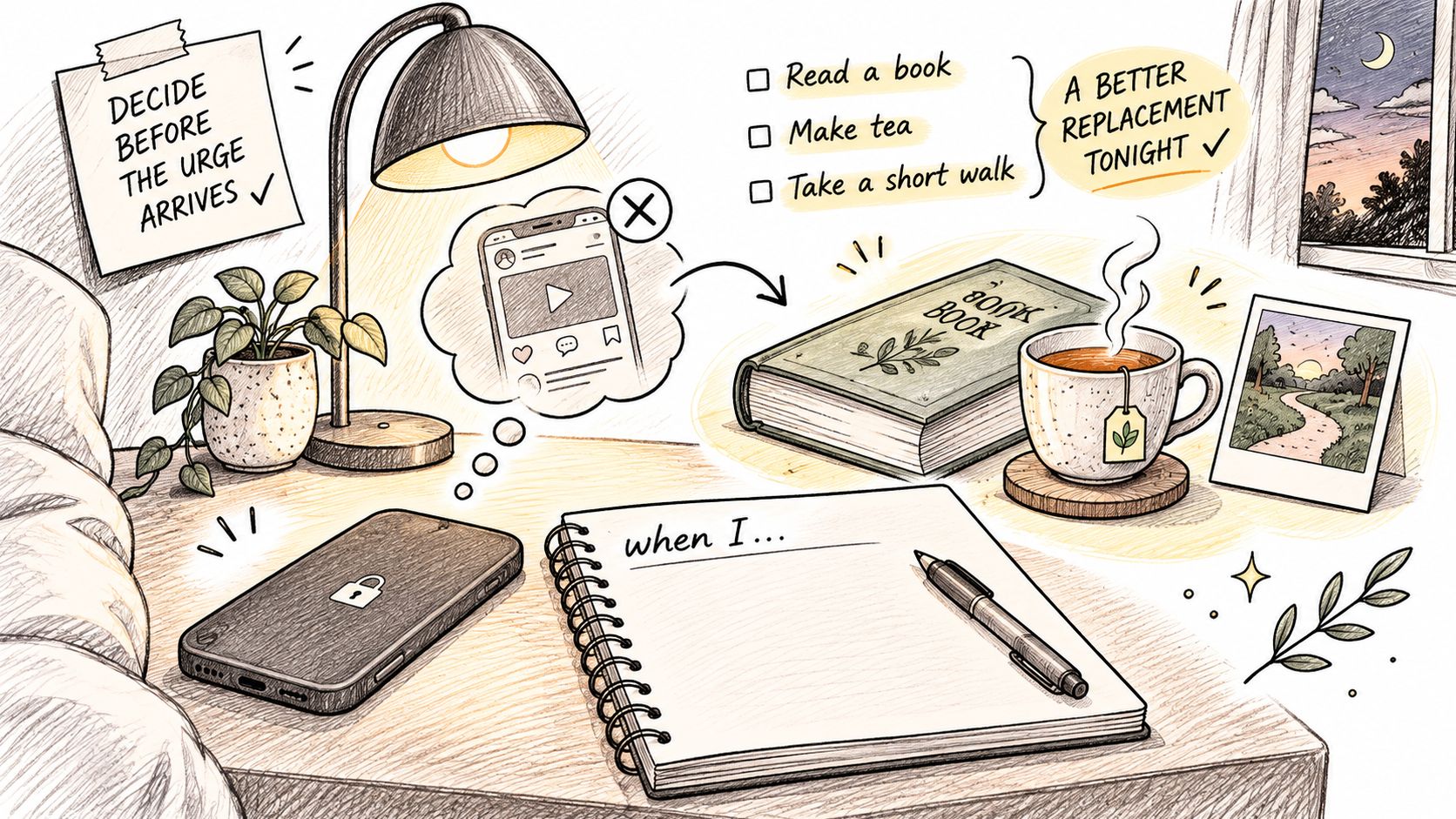
Write an action, not a ban
Use a sentence with a recognizable trigger and a concrete response: When I open TikTok at night without a reason, I read a page before deciding whether to continue.
That's an implementation intention. In Adriaanse and colleagues' experiments on breaking habits, plans specifying a replacement response helped override habitual responses. Those experiments weren't a test of this exact TikTok routine, but they back planning a specific next move over planning a refusal.
Choose an activity with a reward you care about. Getting better at drawing is a reason to pick up a pencil. Being vaguely more productive is not much of an invitation after a long day.
If learning sounds appealing, Million Whys' guide to micro-learning habits that actually stick offers ways to make curiosity into a small, repeatable practice. Keep the starting point modest enough that you don't need to negotiate with yourself.
Choose a promise you'd like to keep
A pact is one simple promise you keep alongside a small group of people. You can join solo, bring friends by link, or let Badger match you into a group. Inside, you see your own progress, who in your group has done today's, and a chat where you can react to what people post.
Sample pacts include:
- Walk more: Get out for walks and share where you went.
- Read more: Read a few pages regularly and talk about what caught your attention.
- Learn Spanish: Practice useful words and phrases you'd like to use.
- Get better at chess: Work through puzzles and notice the ideas you missed.
- Draw: Sketch ordinary things and share what you made.
- Touch grass: Spend time outside, especially when another indoor hobby sounds like homework.
Your group doesn't need to police you. A shared photo or a friendly poke can make the promise visible. Leave room for side quests, too: take a different route, draw a weird lamp, or learn a phrase you'll say.
Call it habit maxing, hobby maxing, or life maxing if you like. You're allowed to have fun without turning every free moment into self-improvement.
For another way to think about making room for chosen activities, try these approaches to time management for procrastinators.
One more look before tonight's pick:
Make tonight's plan small enough to start
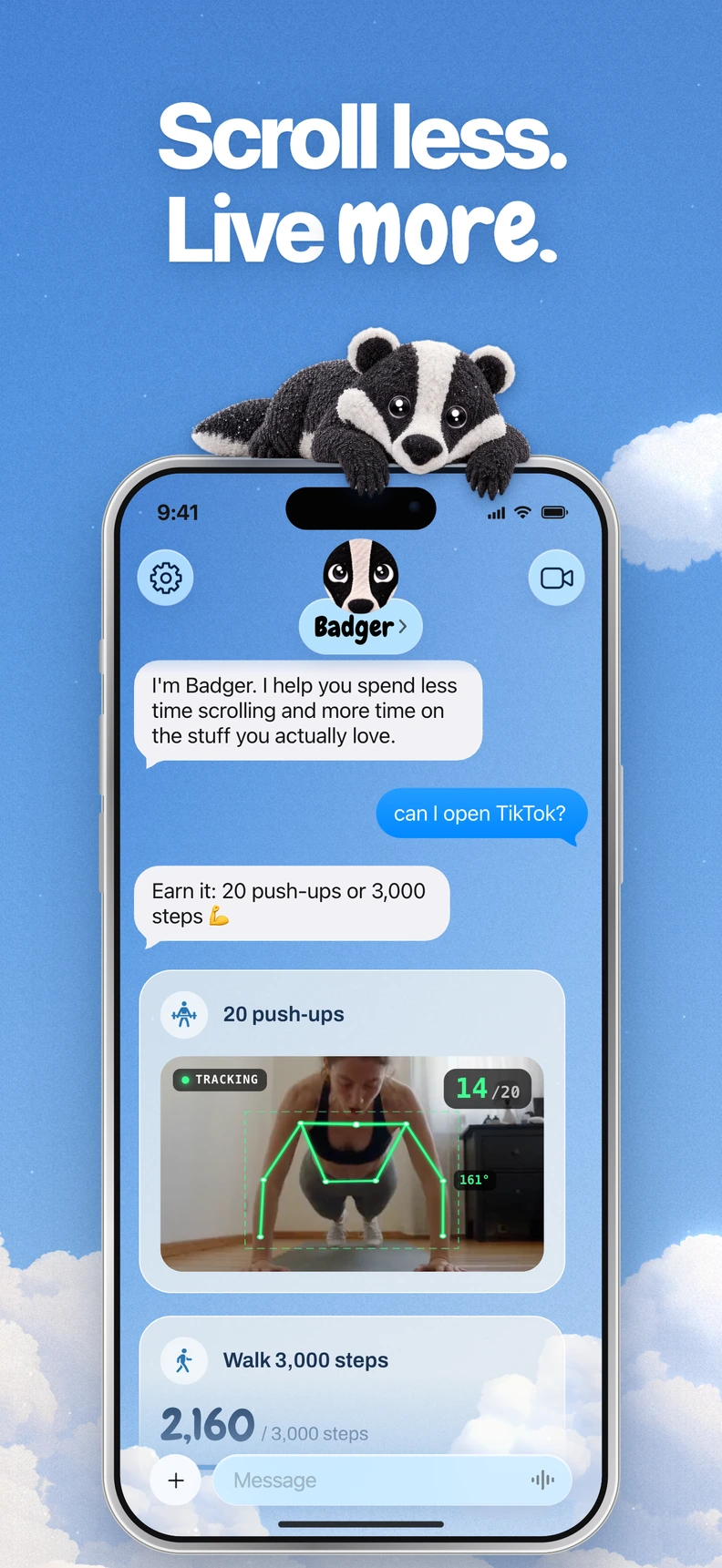
Badger is a personal agent for iPhone. Text it about your goals, make a plan, and ask it to take action. It works off how long you've been on an app, so an idle evening earns no intervention, and it adapts to how strict you need it: if going hard would make you quit, it goes lighter, lets you off sometimes, and tightens as you're ready. When you've been scrolling too long, it brings up the pact you said you wanted.
That last part matters on the nights a warning would land badly. Blocking does the interrupting; the pact does the replacing, and the plan can shift when your day does.
Tonight, write your trigger-and-action sentence. Put the replacement object within reach, share the pact with someone, and set a threshold for the app that costs you the most. Review it in a week, with curiosity rather than a verdict.
Download Badger on the App Store at gobadger.app.
Want help turning the next accidental scroll into a walk, a sketch, or language practice? Visit Badger to choose a pact and make a plan that gives you a better next move, not just another app to argue with.
Questions or corrections? Use Badger Support. More on the Badger blog.