
 vs

Superhappy may suit people who want to interact with an AI coach when they ask for app access. It offers daily app limits, streaks, and time-bound sessions. Badger may suit people who want a personal agent that remembers goals they share between check-ins, helps shape a plan for app access, and offers an emergency unblock that does not require AI approval.
Badger and Superhappy are two iOS apps that use AI in app access decisions. The key distinction between them is the type of support they offer.
More details about each app are summarized below. They are based on information found on their respective App Store pages and official websites as of November 9, 2026: Badger and Superhappy.
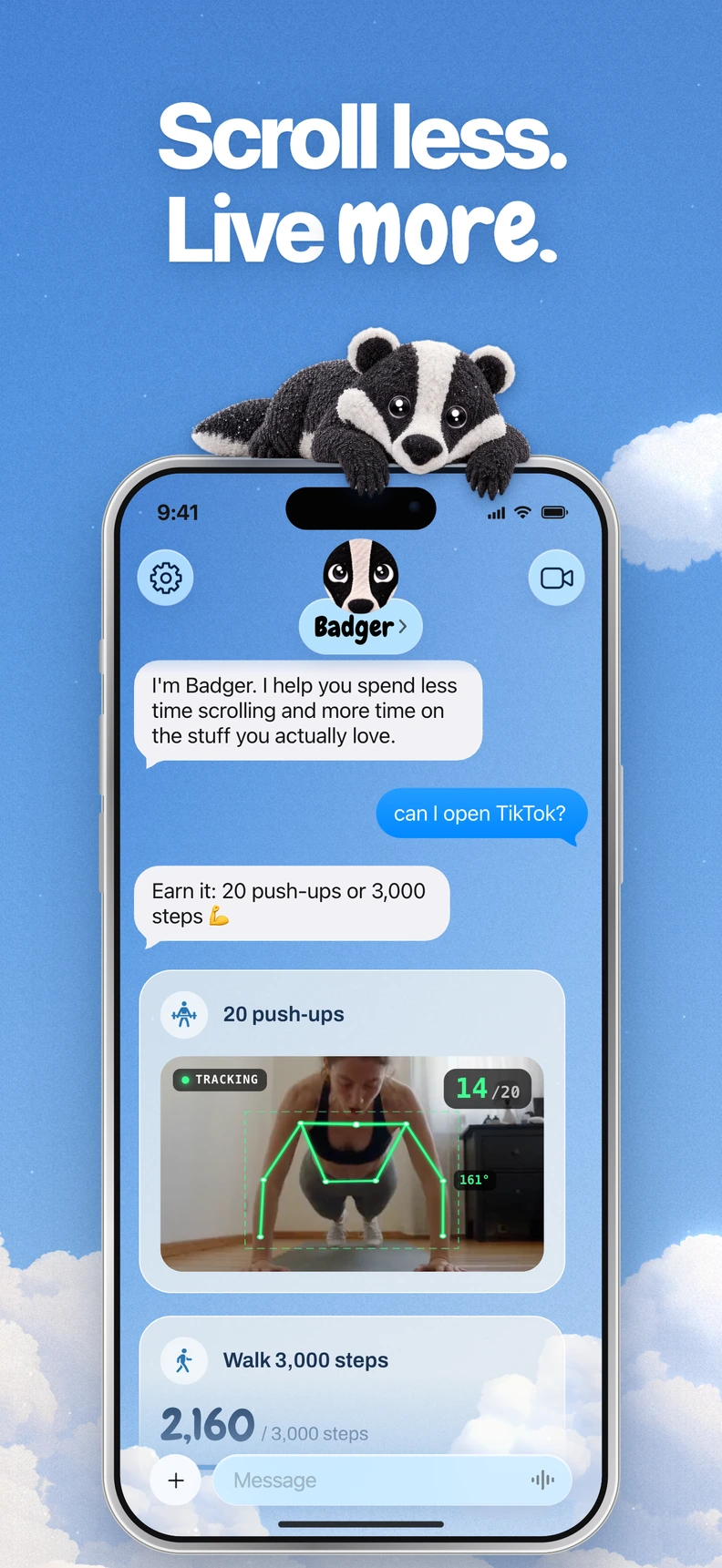
Badger is a personal AI agent focused on one thing: helping you live a more meaningful life. You can text it about what matters to you. It can make a plan, block distracting apps, and help you follow through.
At a Glance
| Feature | Badger | Superhappy |
|---|---|---|
| Device | iPhone and iPad. iOS 18 or iPadOS 18 or later | iPhone |
| App Blocking | You select apps using Apple's selection menu and authorize Screen Time. You can group apps with names. | You select apps to block. Daily app limits, streaks, and time-bound sessions can target different apps at different times of the day. |
| App Unblocking | Talk with the agent. A plan can include actions such as new walking steps, reaching a gym, taking a photo, or other supported actions. Emergency unblock does not require AI approval or AI credit. | Dialogue with the AI coach. It allows time-limited access to the app, then the AI coach blocks the app again. |
| Support | Personal AI agent you can text; it remembers context and goals you share, proactively checks in, and can adjust a plan when an approach isn't fitting. | AI screen-time coach that has conversations when you request an unlock. |
| Pricing | Free to download and use with a weekly AI allowance. No subscription on the current pricing page. | Free to download. Some features require a Premium subscription. |
Divergent Strategies
When faced with a blocked app and the desire to access it, Badger and Superhappy take different paths. Superhappy's approach, as described in its documentation, is to have a conversation with the AI coach, who allows time-limited access and then blocks the app again. For someone struggling with mindless app unlocking, the act of verbalizing their intentions every time they wish to unblock an app may be enough friction on its own.
On the other hand, Badger allows users to set up a plan in advance, which can shape when and how they can access an app. The plan can include various actions, such as new walking steps, a daily step goal, arriving at a gym, taking a photo, or other supported actions. The user decides these actions with the Badger agent. The advantage of this strategy is that it allows users to negotiate the terms of access ahead of time, rather than just having a dialogue at the moment of decision. Badger can remember and discuss the plan with the user, adjusting it when an approach doesn't fit.
Neither strategy involves mind-reading. Users must provide input to the respective agents. However, the timing of the intervention differs. Superhappy’s published flow emphasizes a conversation when users request app access. Badger explicitly offers proactive check-ins and plan adjustments over time.
For someone with a particular problem they wish to solve (e.g., mindlessly scrolling at midnight), Superhappy's on-demand AI coach may be sufficient. For someone who wants a persistent, adaptive approach that aligns with their larger goals, Badger may be a better fit.
Making the Choice
Let's consider some concrete scenarios:
You frequently unlock an app without a good reason. Both apps can block an app you open without a clear reason. You can choose to block the app using either app and use its AI dialogue or plan as a prompt before returning to the scroll. Superhappy can handle this with daily limits and time-of-day sessions, with different apps blocked at different times of day. Badger handles this by creating named app groups and using a plan. It can also offer Light social views and generated mini apps as alternatives to the full feed.
You want access tied to doing something, not just saying something. Badger can connect app access to a plan involving actions such as walking or taking a photo; Superhappy's listing centers on conversations and time-limited access. The distinction is whether you'd rather discuss your intention with Superhappy's coach or make access part of an action-based plan with Badger. Which approach fits better depends on that preference. Arriving at a gym isn't proof that you completed a workout, and photo assessment isn't infallible.
You need an emergency override. Badger offers an emergency unblock that doesn't require AI approval or credit, and it can be bypassed or removed like any other blocker. This is helpful in case you need access in the middle of a commitment for legitimate reasons. Badger also allows you to discuss changed circumstances with the AI agent. Repeated requests do not guarantee that an active commitment will be cancelled. Superhappy's documented unlock is a coach conversation that grants time-limited access.
Checklist for choosing between Badger and Superhappy
- Confirm your device. Both apps have iOS listings, and Badger also supports iPadOS 18 and later. No Android or desktop blocking was established in the official sources checked.
- What are you trying to replace your app use with? Are you looking for an app block based on a conversation about your intentions, or one based on an action challenge like walking or taking a photo?
- When do you need the intervention? Is it just when you are trying to unlock the app, or over time, with proactive check-ins and plan adjustments?
- What's the app's pricing model? Badger is free to download and use with a weekly AI allowance. With Superhappy, some features require a Premium subscription. For more info on pricing, check out Badger's pricing page and Superhappy's App Store page.
- Do you need a changing plan? Badger can adjust an approach that isn't working. This may suit people who are still figuring out the best strategy for them.
Frequently asked questions
Is Badger dependent on another AI assistant? No, Badger works on its own. You can optionally connect a compatible external assistant via MCP/OAuth to list authorized groups and request blocks or unblocks with a reason. This connection doesn't expose usage history, group app membership, confirmed phone state, or general iPhone control. See the connect page for setup details.
Where can I learn how app blocking works? Check out Badger's iPhone app blocker guide for an explanation of how app blocking works through Apple's picker and Screen Time. If you need to know how to block apps on iPhone in the first place, check that out too.
Take the next step
If you think Badger is a good fit for you, the quickest way to test it is to try it out. Download Badger from the App Store, select one app through Apple's picker, and give it access to Screen Time. Create one simple app-block plan with Badger. Then make sure the block actually works on your iPhone. If not, refer to the app blocker troubleshooting guide. If Superhappy's coach-conversation unlock is better suited to your needs, take a look at its App Store page and site for more details.
Sources
Questions or corrections? Use Badger Support. More on the Badger blog.