
 vs

Use Badger if you prefer a goal-based, single-device solution on iPhone that works in partnership with a plan-adjusting AI agent and use ScreenZen if you want a self-managed, multi-device, free app blocker with customizable limits. These apps aren't rigid one-for-one replacements; rather, they have different focuses.
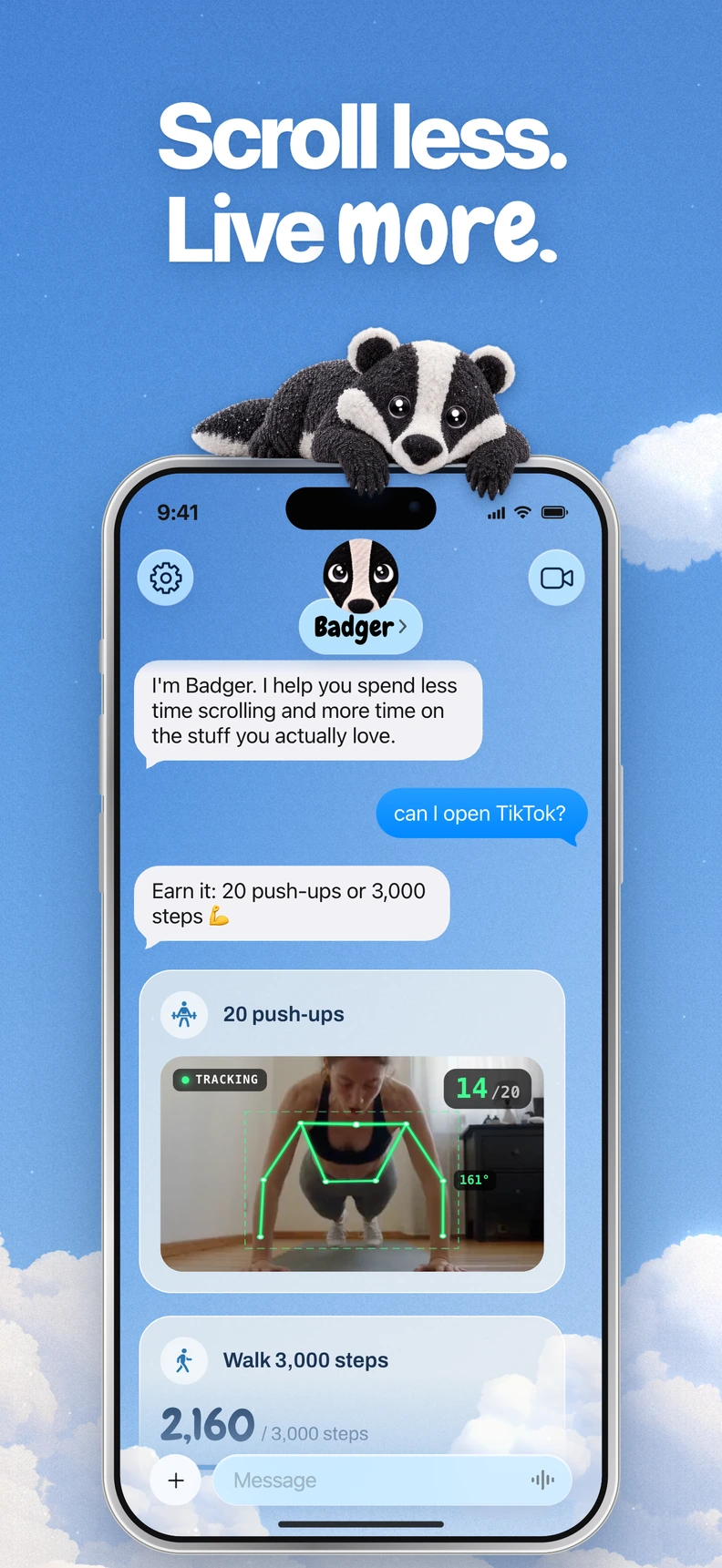
Badger is a personal AI agent focused on one thing: helping you live a more meaningful life. You can text it about what matters to you. It can make a plan, block distracting apps, and help you follow through.
TL;DR
Use Badger if the biggest challenge you face isn't with app-blocking per se, but instead with mindlessly opening apps. Badger connects blocking to what you want to do with your time, and your plan can involve taking steps, a daily step target, reaching the gym, taking a photo or another supported activity. Badger remembers the goals and context you share and can proactively check in and adapt plans if they aren't working.
Use ScreenZen if you want a self-configured app blocker that can work on multiple devices or if you prefer a free app blocker with no subscription. ScreenZen advertises iOS, macOS, Windows and Android. Its Apple listing shows that it supports Mac, so it's not just a phone app. The iOS listing shows that it supports a host of options, such as timed delays, timed breaks, day- and time-based settings, goals and strict time and open-count limits, settings locks, breathing exercises and streaks.
Feature comparison
The feature comparison below is based on the publicly available documentation and store listing information for each product (as of November 9, 2026). These features may have changed since then, so please verify before choosing.
| Feature | Badger | ScreenZen |
|---|---|---|
| Devices | iPhone with iOS 18 or later. | iOS, macOS, Windows and Android advertised. |
| App-blocking method | Choose distracting apps from Apple's picker and authorize Screen Time to follow a plan created with Badger. | Self-configured app blocker that supports timed delays, timed breaks, day and time rules and strict limits (app and site blocking documented for Android). |
| App-unblocking method | Follow the plan, which can be adjusted with the agent, or use an emergency unblock that doesn't require AI approval or AI credit. | Timed delays and timed breaks expire based on your configuration. You can set stricter limits, and settings locks add friction. |
| Personalized support | Badger remembers goals and context you share, can proactively check in, and can take action on app access. | You manage goals, streaks, breathing exercises and configuration yourself. |
| Pricing model | Currently free to download and use, with a weekly AI allowance. No subscription on the current pricing page. | Free and donation-supported. No mandatory subscription for the software. Optional Halo hardware is sold separately. |
Three scenarios to determine your best choice
You open the same app for different reasons. Say you open the same app to do work research, take a planned break and then mindlessly scroll late at night. A static rule would apply to all three situations. Badger's approach was built for exactly this use case where your intent (what you're trying to do) and your actual behavior (what actually happens) don't align. Badger lets you communicate to the agent why you're opening an app and adapt your plan accordingly. It doesn't claim to be an intent-reading app; instead, it gives you a structure to discuss and adapt to those differences. ScreenZen can address this use case with configurations such as day and time-based rules. For predictable patterns, day- and time-based rules give you a way to specify different limits in advance.
You want to block apps on multiple devices. Want to block apps on your Mac, Windows or Android phone? ScreenZen works across all four platforms. Badger is built specifically for the iPhone, so it's not suitable for desktop app-blocking. ScreenZen's listing documents app and site blocking with Android Accessibility Services. Recent version updates mention a minimalist launcher and Halo-related scheduling cues.
You want to earn or negotiate app access, rather than configure it. Badger's plans tie app access to activities you specify. Maybe you're trying to earn access by taking a walk, or maybe your goal is to get to the gym. Maybe you don't want to earn app access with an activity at all. The specifics vary by your plan. Getting to the gym doesn't mean you actually worked out, and photo assessment isn't foolproof. It's about providing structure. ScreenZen lets you configure timed delays, limits, breathing exercises and other activities. The choice is how you want to set up and manage that help. Badger can be bypassed or removed, while ScreenZen's settings locks add friction; both have controls and limits you should understand before relying on them. This really just comes down to a question of what type of friction works for you.
Your decision checklist
If you're mostly distracted by apps on iPhone and you're looking for something more strategy-based with goals, consider Badger. If you're looking for blocking on the desktop or Android and you want more strategy and goals, consider ScreenZen. If you want a system of strategies and conversations when situations change, consider Badger. If you want hard limits that you set up once and plan out with ease, consider ScreenZen. If you want to try more strict levels of blocking without paying a penny, both options are good. ScreenZen is free and donation-supported, and Badger's pricing page outlines the current weekly AI allowance.
FAQ
Do I need ScreenZen's Halo hardware? No, Halo is a physical companion to build a dedicated, distraction-free space, but the standard version of the app is software only.
Can Badger be bypassed? Yes, Badger can be bypassed or removed. What Badger offers is an adjustable plan and an emergency unblock that doesn't require AI approval or AI credit.
Do I need an external AI assistant to use Badger? No, You can text Badger directly. If you want, you can also hook up another assistant through MCP/OAuth to list authorized groups and request blocks or unblocks with a reason. This is just a secondary, optional feature.
For the technical details, see the setup instructions at gobadger.app/connect/setup.
Next step
Start with the device question. If you need Android or desktop blocking, ScreenZen covers devices this Badger comparison does not. If you want an agent to help with your iPhone plan, download Badger, choose a few of the distracting apps you have, and give a concrete scenario you want to tackle, for instance scrolling late at night. See what the suggested strategy is. If you want multi-device blocking, download ScreenZen and set a wait or a short access period for one of your most-used apps.
Whichever you choose, test one manageable change and check whether the setup fits the moments when you want help.
Sources
Questions or corrections? Use Badger Support. More on the Badger blog.