
 vs
one sec is the better option if your distraction occurs on multiple devices and you want an app blocker that intervenes immediately when you open a distracting app. Badger is the better option if you use an iPhone, want to work towards a specific goal with your time, and want an AI agent that can help you make and revise a plan.
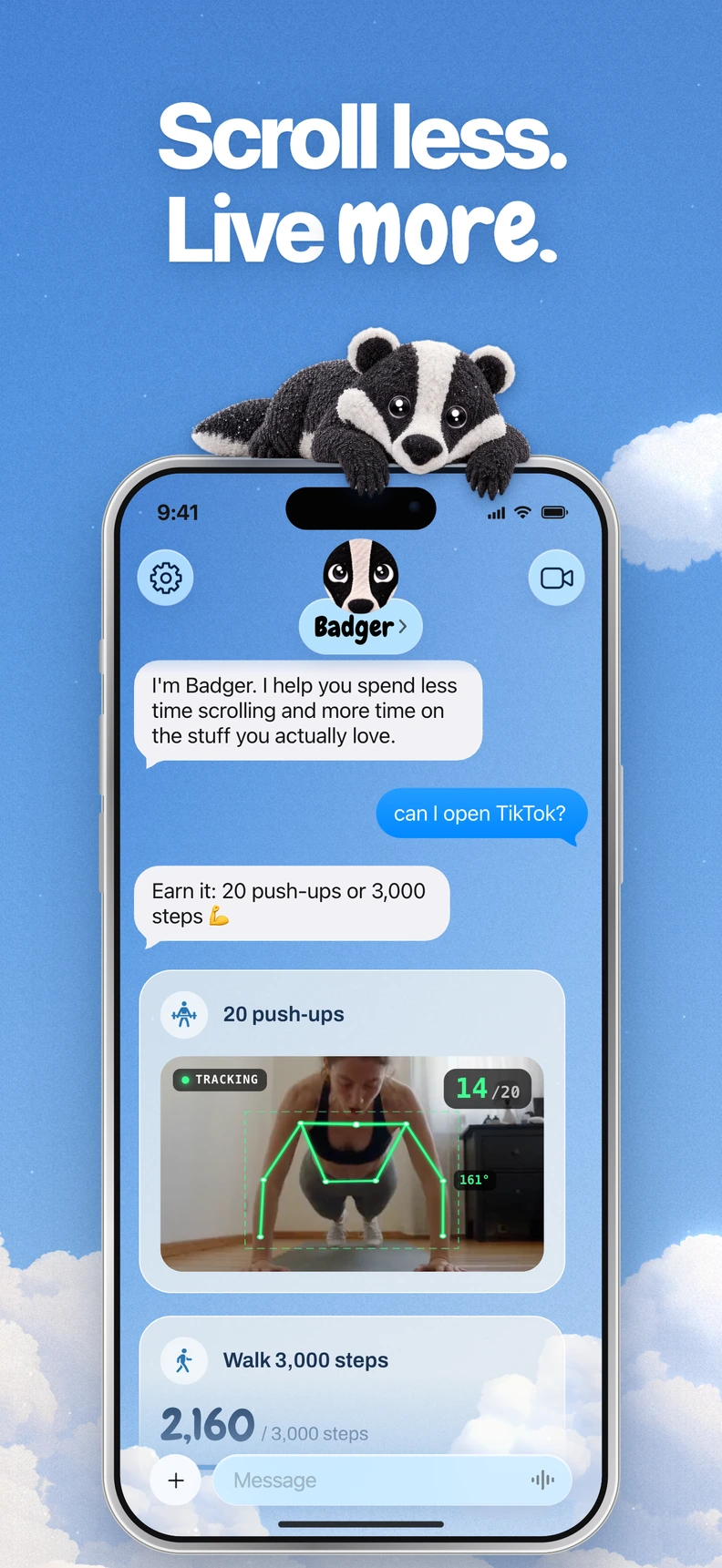
Badger is a personal AI agent focused on one thing: helping you live a more meaningful life. You can text it about what matters to you. It can make a plan, block distracting apps, and help you follow through.
Overview
The comparison below is based on the official documentation of both products, as of November 9, 2026.
| Feature | Badger | one sec |
|---|---|---|
| Device support | iPhone app (iOS 18 or later), available on the App Store | iPhone/iPad, Android, browser extensions for Chrome, Firefox, Safari and Edge, and a native Mac app |
| Blocking mechanism | You choose apps through Apple's picker, authorize Screen Time, and create named app groups. Badger helps you make a plan and apply the block | Interventions when you open an app: breathing, reflection, small tasks, healthy alternatives, delayed or repeated interruptions. Also supports full app and site blocking and scheduling |
| Unlock conditions | As defined by your plan, which can include new walking steps, a daily step goal, gym arrival, a photo, or other supported actions. Also supports an emergency unblock without AI approval | Interventions can be delayed or repeated; full app and site blocks and scheduled times are also supported |
| Agent support | An AI agent that remembers your goals and context, checks in proactively, and adapts your plan when necessary | Self-configured interventions and repeat settings |
| Pricing | Free to download and use today, with a weekly allowance of AI support. There's no subscription on the current pricing page | Free mobile tier, described in its FAQ as a breathing intervention for one app; free browser extension. Pro is quoted at €3.99/month, €14.99/year or €99.99 lifetime, with regional differences in pricing |
Three factors that tip the balance
Your distraction occurs across devices
If you get distracted by a work laptop, a home Mac, and your phone, one sec has broader coverage. It has browser extensions for four browsers and a native Mac app that supports interventions on desktop apps. Badger focuses on iPhone app blocking rather than Android or desktop blocking.
One caveat from one sec's documentation: a pro account can be used across supported platforms, but that doesn't necessarily mean all features are available or that blocking rules are automatically synced across platforms.
You want a plan, not just an intervention
An immediate intervention when you open an app can help, but the app opening itself doesn't explain what you want from that moment. Opening the same app may mean research for work, a conscious break, or falling into an unintended late-night scroll. Badger doesn't claim to guess your intent; it can work with you to make a plan based on the goals and context you share.
This means the block isn't just about pausing; it can also involve an action you want to take, like taking new walking steps, setting a daily step goal, getting to the gym, or taking a photo. Learn more about this approach in the AI app blockers guide.
You want help adapting when things change
A rule you set in January may not work for your life in March. Badger can check in proactively and adapt your plan when an approach doesn't fit; you can discuss real needs and changed circumstances with it. Repeated requests don't guarantee that an active commitment will be cancelled, and Badger can be bypassed or uninstalled. It's intended to help bridge the gap between what you meant to do and what you ended up doing.
Key tradeoffs
On iPhone, Badger combines app blocking and planning with Light social views and generated mini apps that offer alternatives to returning to a full distracting feed. If you want broader device coverage, one sec covers more platforms; if you want an agent-supported plan on iPhone, Badger focuses there.
Quick checklist
- Think about the devices where you get distracted most. If more than one is a problem, one sec's wider platform coverage may matter.
- Decide whether you want to configure interventions yourself or discuss and revise a plan with an agent.
- Think about how you want app access to work: after an activity like walking or taking a picture, after an intervention, or at a fixed time.
- Check each product's current pricing information for the terms that apply.
FAQ
Does one sec only break distractions? No. In addition to its distraction interventions, one sec can also block apps and websites and let you set custom times to block apps.
Does one sec work on Windows? Its Chrome, Firefox and Edge extensions cover supported browsers on Windows; Safari is part of its Apple-platform offering. Its native desktop interventions are only available on Mac. Browser support is not the same as native Windows app blocking.
Can I use one sec and Badger together? Yes. They can overlap and aren't necessarily substitutes. For example, someone could use one sec in a desktop browser and Badger on an iPhone.
Does Badger need another AI assistant? No. A compatible external assistant can optionally connect via MCP/OAuth to request blocks or unblocks with a reason; setup details are at /connect/setup.
Getting started
If you're primarily using an iPhone and want to block apps based on a plan for your time, download Badger from the App Store, follow the guide to blocking apps on iPhone, and choose two or three apps for your first group. If one sec fits better, start with its free mobile tier on the app you struggle with most.
Sources
Questions or corrections? Use Badger Support. More on the Badger blog.