
 vs

Both Badger and Clearspace try to create friction between you and the apps that steal your attention, but they differ in how access returns and how much support they offer. Clearspace suits people looking for exercise-based access gates and friend challenges; Badger suits people who want to discuss a plan with an agent and adjust it when circumstances change.
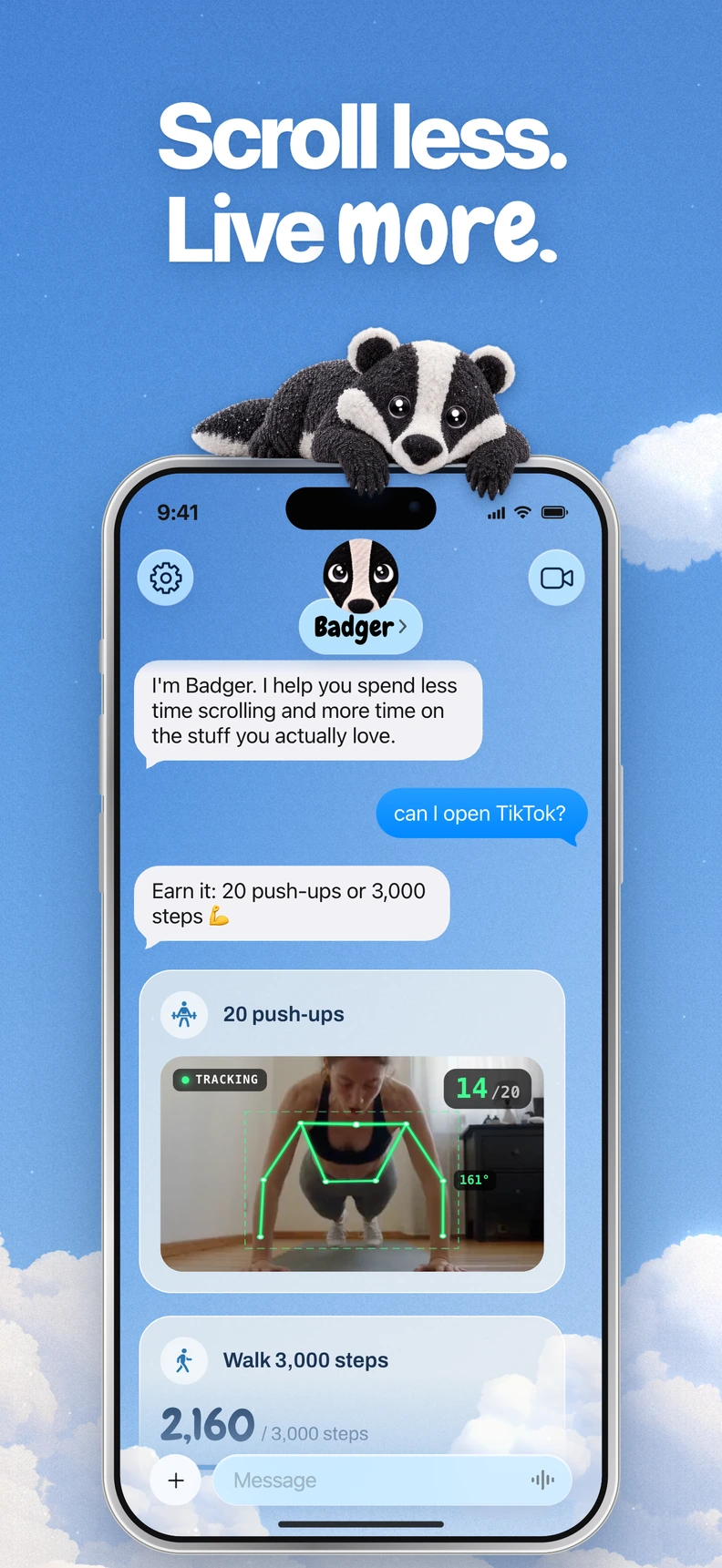
Clearspace is available on iOS and Android. Its website emphasizes earning more app time with push-ups or a guided breathing exercise, alongside app limits, focus schedules, and friend challenges (getclearspace.com). Badger (App Store) is designed around an agent that remembers your goals, checks in proactively, and can adjust plans if something isn't working.
Badger is a personal AI agent focused on one thing: helping you live a more meaningful life. You can text it about what matters to you. It can make a plan, block distracting apps, and help you follow through.
Comparison of Badger vs Clearspace
| Feature | Badger | Clearspace |
|---|---|---|
| Platforms | iPhone and iPad (iOS/iPadOS 18+) | iOS and Android (com.clearspace.app on Google Play) |
| Blocking mechanism | Select apps via Apple's picker, authorize Screen Time, and organize them into named groups | App limits and focus schedules; its iOS listing also documents intentional pauses and session limits |
| How access returns | Plan-based actions can include walking steps, a daily step goal, arriving at the gym, or a photo; emergency unblock is available | Push-ups or a guided breathing exercise to earn more app time |
| Personal support | An agent that remembers your goals and context, checks in, and can adjust plans | Friend challenges, goals and streaks, trusted accountability partners |
| Pricing | Free to download and use, with a weekly AI allowance and no subscription on the current pricing page | Check Clearspace's official site for current Personal pricing |
Note: Comparison facts come from each product's public information, checked November 9, 2026. Clearspace's current Personal pricing isn't stated here, so check its official site if price is decision-critical.
Three use cases
You want a physical gate before using an app
Clearspace's website presents push-ups or guided breathing as ways to earn more app time. If you respond well to a simple “complete the exercise, get the time” rule, it may suit you. It also works on Android, which Badger doesn't.
The founder's older page describes camera/ML verification for exercises (showHN page), but it isn't proof that every exercise is verified the same way on each platform.
You want app access tied to what you meant to do
Badger uses a different approach. Its agent can help you build a plan that connects access to a distracting app with actions intended to support a goal you stated, such as taking new walking steps, meeting a daily step goal, arriving at the gym, or taking a photo.
The same app can serve different purposes during your week: research for work in your browser, a deliberate evening break, or late-night scrolling you don't want to do. The agent can help you discuss a plan based on those distinctions and adjust it if it stops working, rather than leaving you to battle a setting you selected months ago (how Badger works).
Your situation changes week to week
Badger can remember what you share about your goals and context, check in proactively, and take action on app access. Repeated requests don't guarantee that an active commitment will be cancelled, but you can discuss real needs and changed circumstances. Emergency unblock is available without AI approval or AI credit.
Clearspace offers predefined exercise and breathing gates; Badger offers a conversation about which supported action fits your plan.
The products also offer different alternatives to returning to a distracting feed. Clearspace includes guided breathing as one way to earn more app time. Badger offers Light social views and generated mini apps as alternatives to returning straight to the full feed (Badger overview).
Decision checklist
- You use Android: Choose Clearspace; Badger does not offer Android blocking.
- You have an iPhone running iOS 18 or later and want to discuss personal goals with an agent and adjust a plan: Badger.
- You want predefined exercise or breathing gates, or friend challenges: Clearspace.
- Emergency access matters: Badger provides emergency unblock without AI approval or AI credit. Check the recovery controls of either product before committing to a block.
- Exercise verification matters: Check how the current app verifies your chosen activity on the device you use.
- You want family or parental controls: Clearspace Family is a separate product and isn't part of this comparison.
Frequently asked questions
Is one more effective than the other? There's no comparative evidence to say one is more effective; they may suit different needs. Exercise-based earning isn't unique to Badger: Clearspace also offers exercise gates. Clearspace presents predefined breathing or exercise gates and friend challenges, while Badger helps you discuss a plan around goals and actions you state.
Does Badger need another AI assistant? No. You can text Badger directly. You can optionally connect an external assistant via MCP/OAuth to request blocks and unblocks with a reason, but it's a technical extra, not a requirement.
Can you get around Badger? Badger can be bypassed or removed. Its aim is to make the easier path one you actually want.
Next steps
If you're on iPhone, try both: install Clearspace if you want its push-up or breathing gate, or download Badger from the App Store and discuss a real goal with its agent, such as connecting app access to a walking goal. If a plan tied to arriving at the gym sounds closer to what you need, start with the earn screen time by walking guide and read the full comparison before choosing.
Sources
Questions or corrections? Use Badger Support. More on the Badger blog.