
 vs

If you're trying to stop yourself from opening specific apps on an iPhone and want a solution that discusses its blocking strategy with you, Badger is a good match. However, if you are working with apps on an Android device as well or prefer browser extensions and custom schedules, AppBlock is the better option.
These tools do not replace each other exactly. AppBlock is a cross-platform blocker with a rule engine, and Badger is a personal AI agent focused on helping you live a more meaningful life. You can text it to make a plan and take action, including blocking distracting iPhone apps. Ultimately, your choice depends on the platforms that you're using and the type of accountability that works best for you.
Quick Recommendation
Go with AppBlock if you're blocking apps on more than an iPhone. It has native apps for iOS and Android and extensions for the Chrome, Edge and Brave browsers, though the feature sets are not identical. Features available on the iOS version of the app include Quick Block, time- and location-based scheduling, usage limits, allowlisting, Strict Mode, a partner approval option, and Pomodoro, as detailed on the iOS feature page.
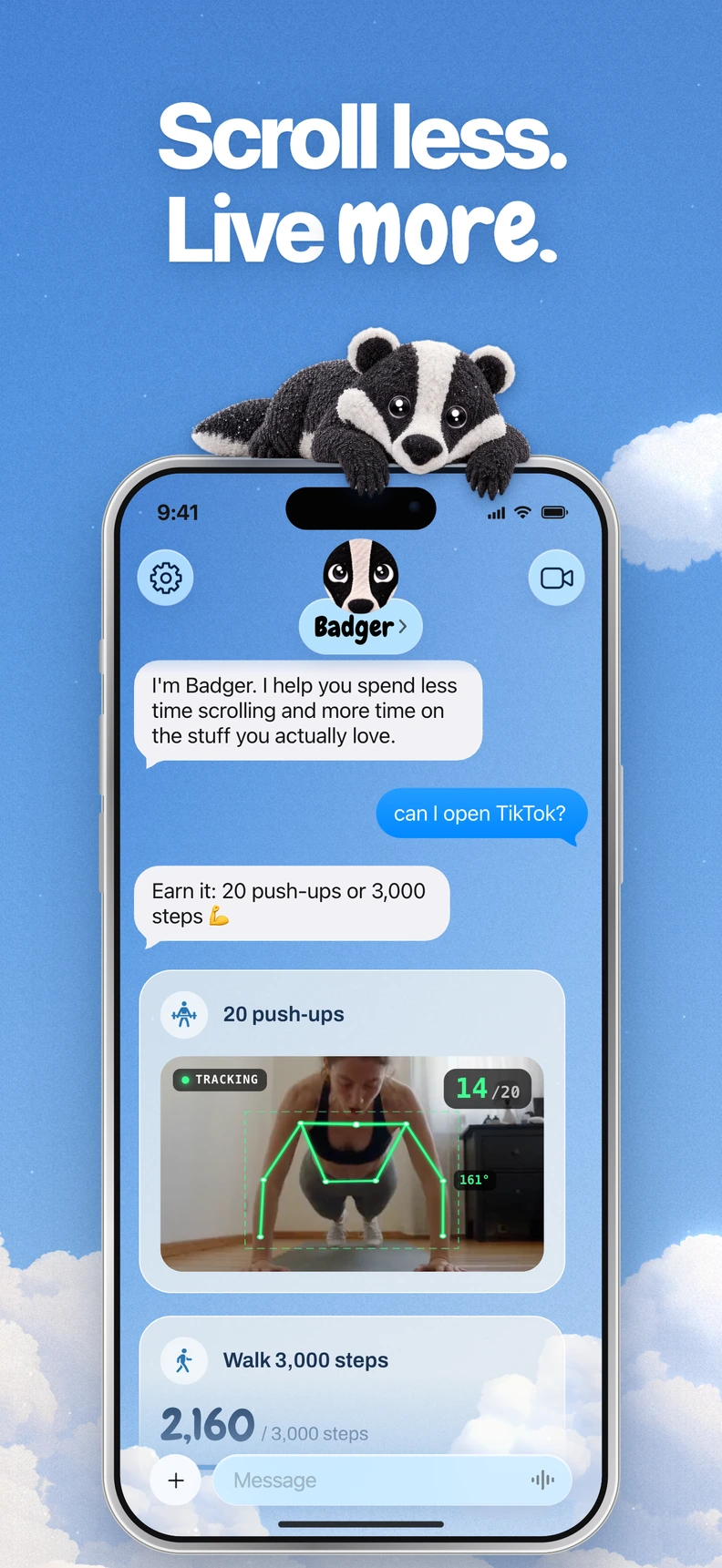
Badger may fit if you want to text a personal AI agent about your goals and get help following through, including blocking distracting apps. Badger, available on the App Store for iOS 18 and later, lets you select the apps that are distracting you from Apple's app picker, give permission for Screen Time, and organize them into named groups. From there, you can work with Badger to create a blocking strategy. The agent can remember the goals and context you have provided, proactively reach out to you, and alter the strategy if it's not working for you. It's not an ideal match if you're mainly looking for a custom rule engine.
Comparison Table
| Category | Badger | AppBlock | Best for |
|---|---|---|---|
| Devices | iPhone (The App Store listing mentions iPadOS 18+, but there is no support for Android or for native desktop app blocking) | Apps on iOS and Android, extensions for Chrome, Edge and Brave, features vary across platforms | Depends on your devices |
| How blocking works | You select the distracting apps from the Apple app picker, give permission for Screen Time, group them by name, and create a plan with Badger | Quick Block, time- and location-based scheduling, usage limits, allowlisting, Strict Mode, and Pomodoro (iOS) | Badger if you want blocking to be tied to a strategy you're working on together; AppBlock if you want a custom strategy that you can configure for recurring rules |
| How access returns | Access terms vary by plan and may include actions such as walking, a daily step goal, arriving at a gym, or taking a photo; you can discuss real needs with the agent, and emergency unblock doesn't require AI approval | Blocks follow their configured schedules and limits. On iOS, a partner can approve disabling Strict Mode; on Android, there are additional options such as timed unblocks, conditions based on the presence of a PIN or a charger, a cooldown period, and email approval | Depends on your accountability style |
| Personal support | A personal agent that remembers the goals and context you've provided, contacts you proactively, and modifies your strategy | Partner approval, which is human accountability provided by someone you trust | Badger if you want an agent to talk things through; AppBlock if you prefer approval from a trusted person |
| Pricing model | Free to download and use with a weekly AI allowance; there is no subscription fee (see the current pricing page) | Free and Premium pricing options, limits on iOS and Android that vary by plan; Premium plans available on monthly, annual, and lifetime bases | Depends on your budget and platform |
Note: The product comparisons in this article are based on public documentation from each product. AppBlock's Android and iOS feature sets are not identical, so if you're looking to purchase the app, make sure to review the pages specific to the platform you're using.
Two questions to help you choose
You block apps on Android, an iPhone, or a browser
If you need coverage across Android or browser extensions as well as an iPhone, AppBlock is the clearer choice. Badger focuses on iPhone, not Android or desktop blocking. AppBlock has extensions that cover the Chrome, Edge and Brave browsers, though those extensions have a limited scope of functionality in the browser and don't apply to a native desktop app. If the app-related distraction affects you across platforms, AppBlock may be a better fit.
You want the block tied to what you meant to be doing
Where Badger differs is in letting you explain that the moment you open an app can be a work-research session, a proper break, or an unwanted late-night scroll; a one-size-fits-all "app opening is bad" restriction is rather narrow. Badger does not read minds, and it is not supposed to do so. Instead, you tell it what your intention and situation are and work with a strategy that can include something like taking new walking steps, setting a daily step goal, going to the gym, or taking a photo. Arriving at a gym doesn't prove someone got a workout in, and photo checks aren't infallible, but at least when you're tempted to fall into the content stream, there's a concrete thing to point at. If you know exactly what you need to block and when (like "block Twitter from 9 to 5 on weekdays near the office"), AppBlock just does it with its own scheduling and location triggers.
So the question comes down to this: do you want to build out strategies on your own, or would you rather talk through a strategy with an AI and change it as you learn what works?
Quick Summary
To figure out which app blocker might work for you, here are a few questions to help you decide:
- Do you want an app blocker for Android or in a web browser? If so, check out AppBlock.
- Do you have an iPhone on iOS 18+? Either tool may fit; if you need Android or browser coverage, start with AppBlock.
- Do you want custom schedules and location-based triggers that you set up? Then AppBlock might work best for you.
- Do you want an agent that keeps your goals in mind, touches base with you, and adapts your strategy as you learn what works? That sounds more like Badger.
- Do you want an accountability partner, like a trusted friend that you ask to allow changes to the restrictions, or would you rather have an agent to talk it through with? AppBlock offers partner approval; Badger offers an agent conversation.
- Do you want to tie app blocking to some good habit or activity, like going for a walk or completing a task?
Then a Badger strategy is for you (see for example how earning screen time by walking works). Both AppBlock and Badger have controls and limitations to understand before relying on a block. Badger has an emergency unblock feature that doesn't require AI approval. Repeated requests to cancel an active commitment do not guarantee cancellation. Use the emergency option when you need immediate access.
FAQ
Can Badger be used on Android or a computer? No. Badger is currently focused on iPhone and also supports iPadOS 18+. For Android or browsers, check out AppBlock.
Can I use both? You could use a rule-based blocker for predictable situations and a strategy planning tool for messier ones. Both do some app blocking, but they are solving different parts of the problem, so combining them may work if your setup allows it.
Can a partner turn off AppBlock’s Strict Mode? On iOS, a trusted partner can approve disabling it. That is an intentional accountability feature.
How much does Badger cost? Badger is free to download and use today, with a weekly AI limit. Check out the pricing page for the current limit and emergency rules. AppBlock has a plan matrix which breaks down Free vs Premium with different limits on iOS and Android.
What's Next?
If you want to experiment with a planning approach to an iPhone distraction, check out the App Store for Badger, pick two or three apps that actually pull at you, and work on a simple initial strategy to begin with. Adjust the plan based on what works and what doesn't. For AppBlock, start with its iOS or Android page for mobile features; for browser coverage, check its extension options, and review the free-tier limits before paying. Either way, take a look at how AI app blockers differ from simple blockers for a new way to think about your blocker choice in terms of the support you want, not just the features list.
Sources
Questions or corrections? Use Badger Support. More on the Badger blog.