
It's 11:40 on a Tuesday. You opened TikTok to watch one video of a dog doing something stupid, and forty minutes later you're deep in a stranger's kitchen renovation, not enjoying it, not learning anything, just scrolling. You close the app, feel vaguely gross, and think: I hate social media.
You're not alone, and you're not weak. Social media is the biggest communication layer humanity has ever built. DataReportal's April 2025 estimate put 5.31 billion social-media user identities worldwide, equal to 64.7% of the world's population, with 241 million added in a year, according to the DataReportal Digital 2025 global overview. Those are identities, not necessarily unique people, so treat the number as scale rather than a headcount.
That scale is why opting out feels like moving abroad. You don't have to. The plan that works is social selectivity: keep the DMs and the people you talk to, cut the algorithmic feed that drains you, and put something you'd enjoy into the slot the scroll used to fill.
Your Options Between Quitting and Doomscrolling
You don't have to choose between deleting every app and staying hooked. There's a wide middle, and people who say they hate social media already live there. They keep the group chat, mute the rest, and feel guilty about neither.
The numbers explain why the middle is crowded. In 2024, 51% of U.S. teenagers reported spending at least four hours per day on a defined set of social-media apps, according to the U.S. National Telecommunications and Information Administration. Pew Research Center's 2025 survey of 1,458 teenagers ages 13 to 17 found that 36% used at least one of five major platforms, YouTube, TikTok, Instagram, Snapchat or Facebook, almost constantly, and 4 in 10 U.S. teens were online almost constantly, against 24% a decade earlier, per the Pew Research Center teen survey.
If the apps feel like they never stop, you're not imagining it. The useful question isn't "how do I quit" but "which lever moves me".
| Approach | What It Looks Like | Best If | Trade-off |
|---|---|---|---|
| Mute and unfollow | Remove the accounts and topics that leave you feeling worse | You like the app but hate the feed | Takes a few evenings to clean up |
| Turn off notifications and badges | You open the app on your terms, not because it pings you | Alerts pull you back in | Easy to undo, so you may drift back |
| Keep messaging, drop the feed | Use DMs and group chats, skip For You and Reels | You use apps mostly to talk to friends | Needs the feed out of easy reach |
| Block apps on a schedule | Apps lock during set hours or after a set amount of use | You know you slip at night or during work | Easy to tap through without something to do |
| Replace the scroll with a pact | A shared habit fills the slot the scroll used to take | You want something to show for your free time | Needs a routine or a group to stick |
| Delete the app | Remove it from your phone completely | You are ready to stop entirely | You lose easy contact unless you have another way to reach people |
Lighter rows aren't weaker by default. Muting a few dozen accounts can do more for your mood than a hard block you tap through in nine seconds. What matters is matching the row to the thing that's pulling you: the feed, the alerts, or the late-night habit.
Pick one row and run it for a week. The rest of this explains how each one holds up in practice.
Why Quitting Feels Impossible and Blockers Keep Failing
The loop has a shape, and it's easier to see than to explain.
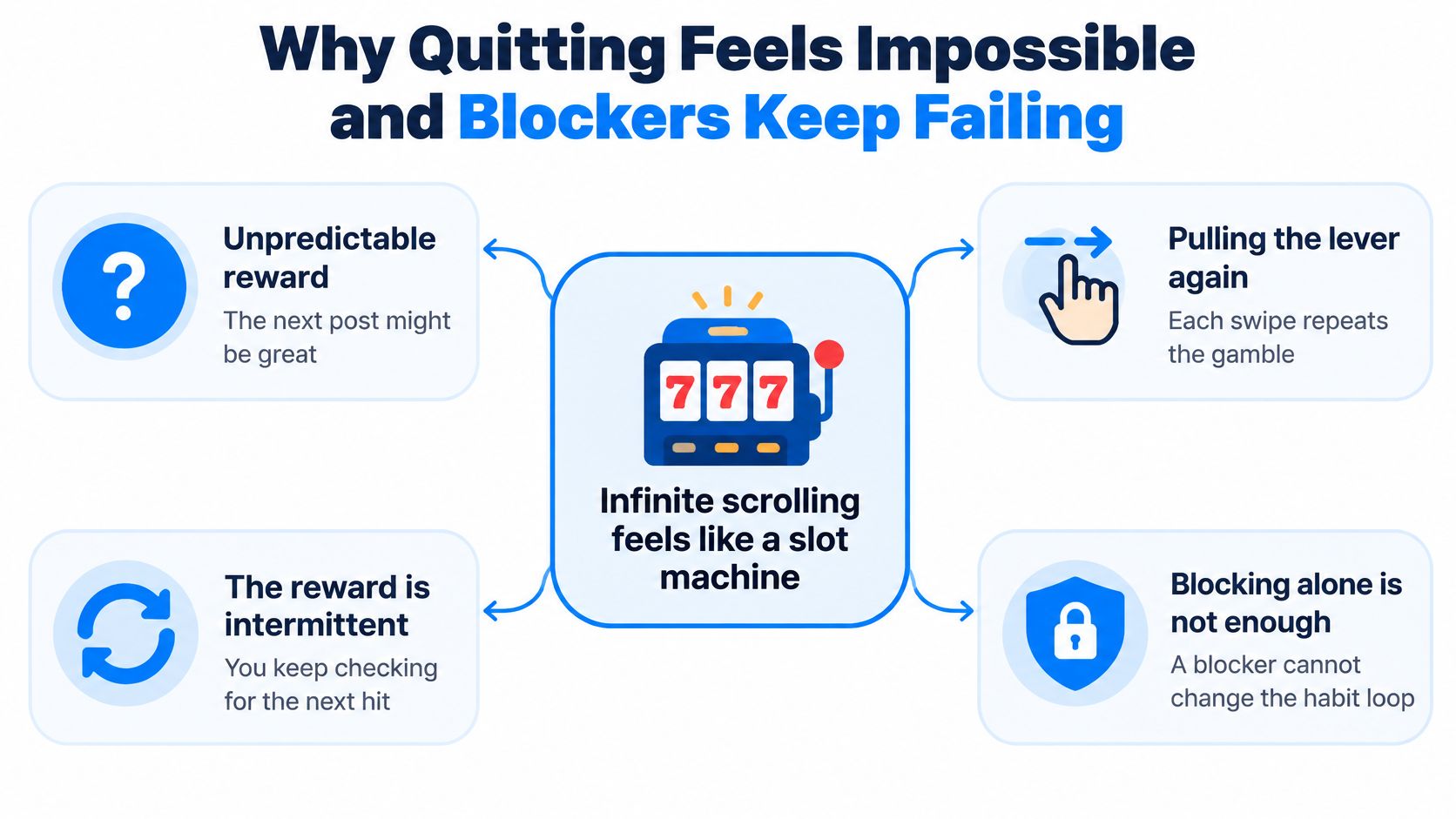
A 2023 ACM study on infinite scrolling describes the experience as similar to pulling a slot-machine lever. Each swipe might reveal something great, but the next result is impossible to predict. That partial-reinforcement pattern makes the behavior more resistant to stopping than a loop where every action pays off the same way. Participants in the study's field research also reported that sessions became unintentionally longer when the feed kept loading.
One mechanic worth naming: the swipe is a gamble, not a treat. A treat ends when you've had it. A gamble keeps you around for one more pull.
The minutes add up in ways you can measure. A dose–response meta-analysis of adolescent studies found greater social-media exposure was associated with higher depression risk, with a pooled odds ratio of 1.60 (95% CI, 1.45 to 1.75), and each additional hour of daily use corresponded to a 13% increase in the odds of depressive symptoms (OR 1.13). That's an observational association, not proof of cause, and the strongest reported link was among teenage girls. The practical read is to target your own automatic use, not someone else's universal daily limit.
Where the Loop Bites Hardest
Three moments do most of the damage, and each needs a different answer.
- The bored gap after work or class. You reach for the app before you've decided to. Energy is low, the cue is habit, and the feed is the nearest thing.
- The late-night scroll. No next event to end the session, so nothing tells you to stop.
- The pre-check. You open the app while you're still deciding whether you wanted to. This one isn't even about enjoyment.
A block handles none of those cleanly. It shuts the app and leaves the cue and the empty minute exactly where they were, so you open a different app, reinstall, or refresh your way back in. If yours keeps getting bypassed, this breakdown of why an app blocker stops working on iPhone covers the usual escape routes.
You're fighting a designed loop with willpower alone. That's a bad trade. The fix needs a plan for the moment the block lands, which means having something waiting on the other side of it.
Keep the Friends and Lose the Endless Feed
Quitting feels like losing friends because you're treating three different activities as one. A 2024 review in Cureus identifies endless scrolling, variable rewards and social feedback as the mechanics that drive repeated checking, and it notes that teenagers commonly use the same platforms for distinct things: endless scrolling, reacting to posts, and direct messaging. Those aren't the same habit wearing different clothes.
The tension is common enough to be measurable. In a survey reported by Chief Marketer, 41% of U.S. respondents, and 48% of Gen Z, planned to spend less time on social networks in 2025, while 99% still reported using social media, and 16% had already quit at least one platform, rising to 18% among Gen Z. People want less of it and still need to be reachable.
That's the case for social selectivity: less algorithmic exposure, not less social contact. You keep the messaging and the people, and you cut the discovery feed that eats the evening.
Four Questions to Ask About Each App
Run these for TikTok, Instagram and YouTube separately, because the answer differs.
- Who do I talk to here? Name real people, not follower counts.
- Do I need to be reachable, or just available? Reachable means someone can get you. Available means you're on call for strangers.
- Which feed do I need, if any? A niche community you learn from is different from a For You page.
- What would I lose if this disappeared tomorrow? If the honest answer is "a group chat", that part stays.
Map the answers onto three kinds of use. Messaging close friends usually stays. Following a niche community or a creator you really enjoy can stay. Browsing strangers' content for no reason is usually the part draining you.
There's a fourth sort worth naming separately: reacting. Likes, comments and story replies are their own habit, distinct from messaging and distinct from the endless feed. Keep reactions for people you talk to, and drop the reflex to react to strangers' posts. That reflex is what trains you to check back for a reply.
One more thing to hold in your head: volume isn't the whole story. A 100-day diary study covering 44,211 daily reports from 479 adolescents found 60% experienced predominantly negative effects, and on higher-use days, average well-being and self-esteem were lower. Which is why the sorting matters more than a stopwatch.
Your answers don't need to be perfect. They need to be clear enough that cutting the feed feels like a decision instead of a betrayal.
Keep the DMs. Cut the discovery feed. That's the whole trick.
Swap the Scroll for Something You Want to Do
A block leaves a hole, and a hole fills itself with whatever is closest. That's why the replacement matters as much as the block.
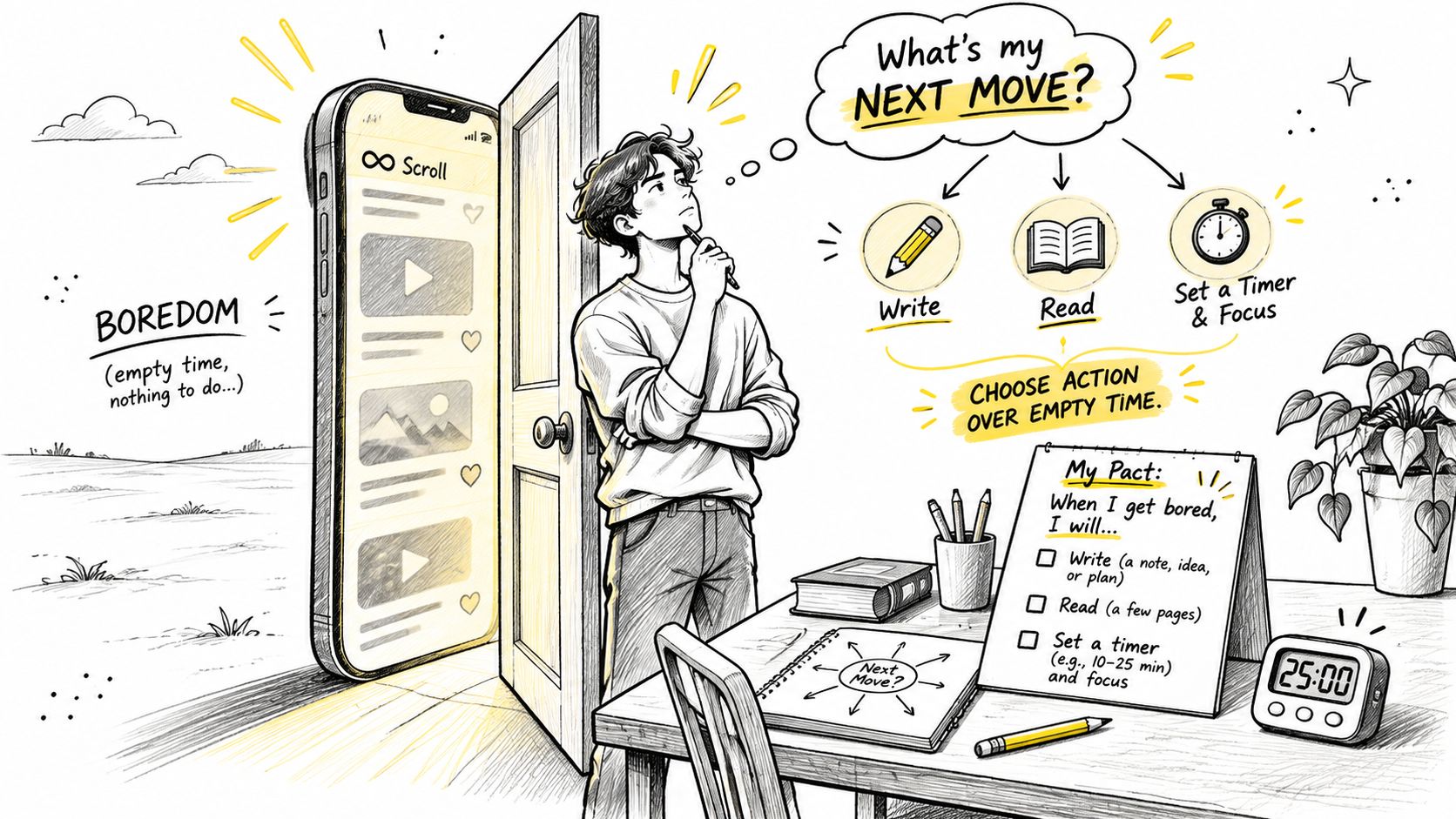
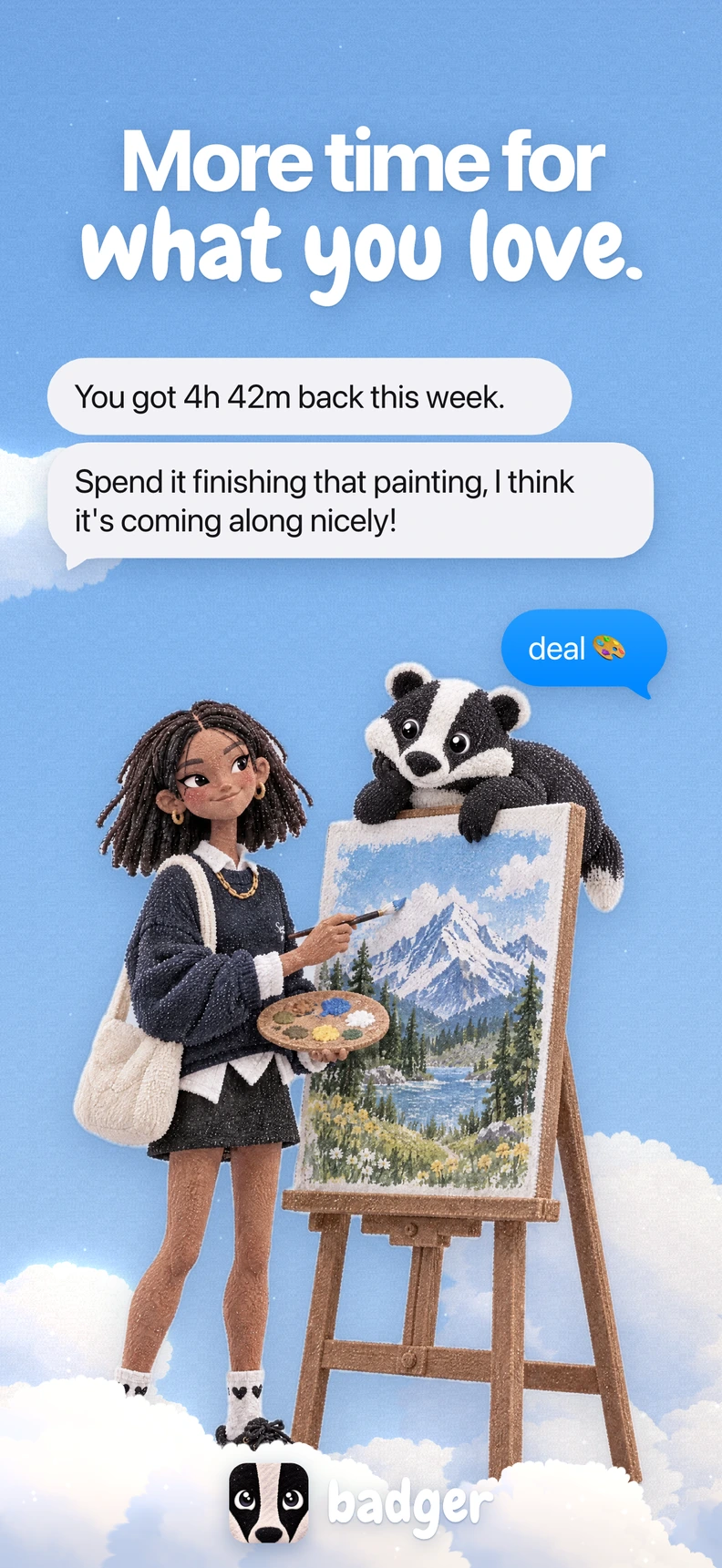
A pact is one simple promise you keep with a small group of people doing the same thing. Not a goal you set alone in a notes app. Something like Walk more, Read more, Learn Spanish, Get better at chess, Draw, or Touch grass. You read a few pages every day, or practise a language in short daily sessions, or get outside for a short walk with no phone in your hand.
The point isn't self-improvement as punishment. It's that a small new thing gives you something to show for the time. People call it habit maxing, hobby maxing, or life maxing. A side quest works the same way: one small, slightly novel thing you'd never have tried mid-scroll.
Sometimes it helps to see the swap in action rather than read about it.
Choosing is the part people get wrong. Pick the pact you'd enjoy the next morning, not the one that sounds most impressive. The impressive one gets dropped by Thursday. The one you'd look forward to gets repeated.
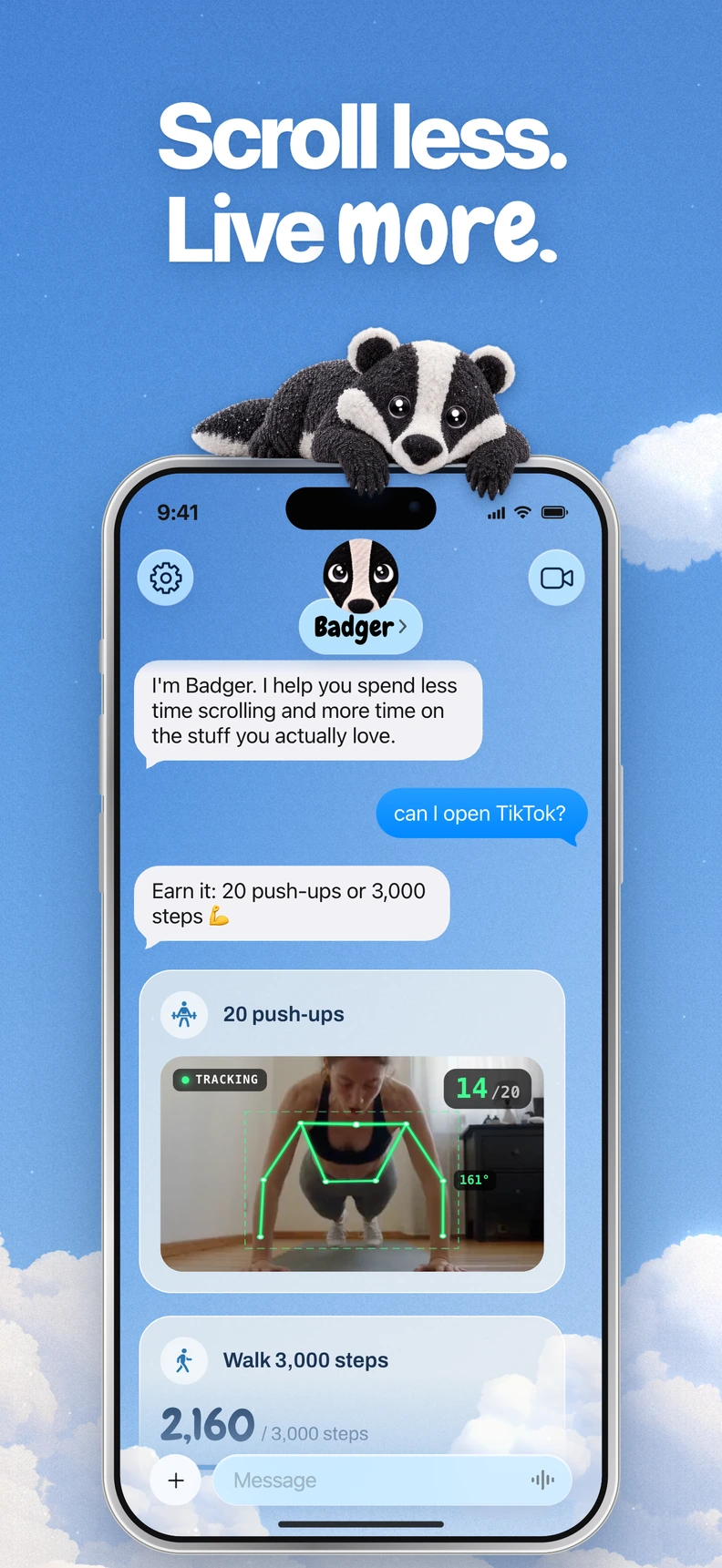
If you want a pact where other people are physically in the room, the benefits of ballroom dancing for adults make a good case for a hobby that mixes movement with real company rather than another screen. Badger nudges you toward that kind of swap. It recommends pacts in the chat and brings up the one you said you wanted when you've been scrolling too long, and you can join solo, with friends by link, or with a small matched group.
If your focus feels shredded after years of 15-second clips, rebuilding your attention span is worth reading before you pick a pact that needs twenty quiet minutes.
So, one question. What would you do with a free evening if the feed weren't an option?
When Blocking Helps and When It Backfires
You've tapped through a block before. Everyone has.
A randomized controlled trial of 70 iPhone users tested personalized full-screen prompts aimed at each person's most problematic social-media app. Over three weeks, daily exposure to that app fell by approximately 29 minutes versus control, and perceived problematic smartphone use dropped 0.46 scale points. The formal measure of problematic social-media use didn't move significantly. Fewer minutes is a start, not a finish line.
On iPhone, blocking runs on permission. Apple's Screen Time developer documentation says the Family Controls framework requires authorization, and apps using the Screen Time APIs need the relevant entitlement. Managed Settings can then apply restrictions like locking accounts or filtering web traffic. You grant it, and you choose the apps or categories in scope. Nothing blocks your phone from outside.
Pick strictness by task: hard blocks for exams, deadlines and focus sprints. Softer nudges while you're building a habit you want to keep.
You'll know a block is backfiring when you start tapping through it, or when the strictness makes you ditch the plan entirely. That's not a character flaw. It's a setting mismatch.
Trust matters here, because a tool that knows your app use knows a lot about you. We don't publicly display your private conversations or use them for targeted advertising, so you can judge what's worth sharing with a personal agent.
Three questions settle whether stricter blocking is your next move.
- Do I need strictness or a nudge? If you're studying for something, strict. If you're building a routine, soft.
- Do I know my trigger app? One app usually carries most of the damage. Name it.
- Do I have something to do instead? If not, the block is a door with no room behind it.
Group plans live or die on coordination. If you organize anything where people need to turn up, recruiting volunteers through social media shows how to use the channels people check without living inside them. The same logic works for a pact: use the group chat, skip the feed. If you're comparing scheduled blocks with other approaches, this look at social media time limit apps covers what each one can and can't enforce.
Your Week One Plan
Start small, because week one is about lowering friction. Give yourself one quiet check, one clear trigger app, and one replacement you can reach without thinking. Think of the plan like putting a chair in the doorway. You are making the old route less automatic and the better route easier to take.
The Seven Steps
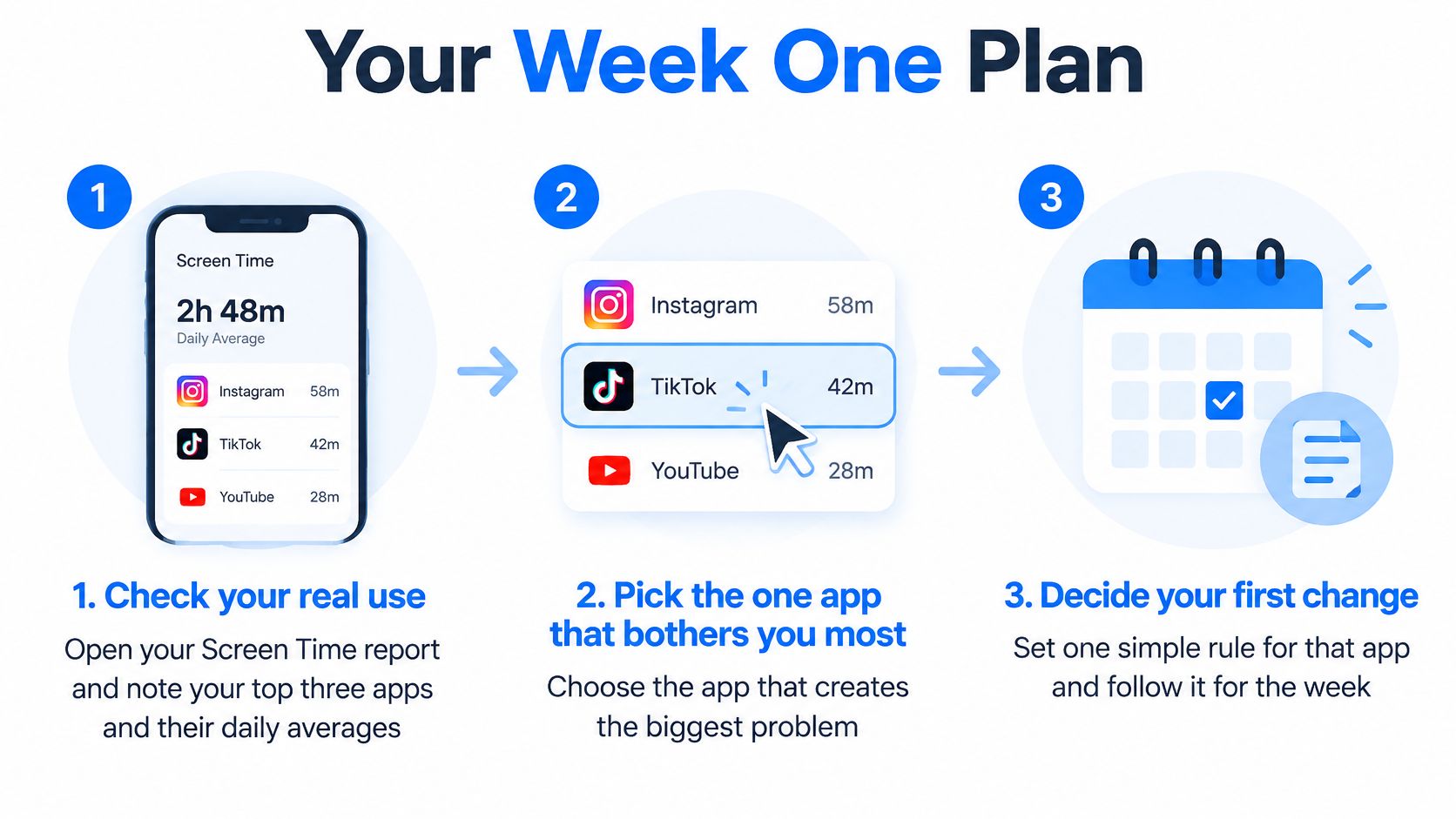
- Check your real use. Open your Screen Time report and write down your top three apps with their daily averages. Work from numbers, not guesses.
- Pick the one app that bothers you most. Not the one you use most. The one where you feel worse after closing it.
- Clear the feed. Mute or unfollow the accounts and topics that leave you flat, and keep the close friends and creators you enjoy. DMs can stay. The endless feed is the part worth cutting.
- Turn off badges and non-essential notifications for that app. If it can't ping you, it has to wait for you.
- Move the app off your home screen. Folder, second page, search bar only. Make opening it a deliberate tap instead of muscle memory.
- Choose your replacement before the urge hits. A few pages of a book, a short walk, a message to one friend, or a small step toward a pact. Decided in advance, not at 11pm.
- Book a day-seven check-in. Same time next week, read the report again, and compare opens rather than minutes.
The first three steps, in one picture.
The Decision Rule
Match your first change to what's pulling you, not to what sounds most disciplined.
- If the feed pulls you in, start with muting and unfollowing. The content is the trap, not the timer.
- If alerts pull you in, start with notifications and badges. You're being summoned, not tempted.
- If the late night is the problem, start with a schedule. Put the block where the slip happens.
- If you have nothing to do with the free time, start with a pact. Empty time is what sends you back.
A pact works well here because it gives the freed slot a shape. One promise, shared with other people, is easier to return to than a vague wish to scroll less. Walking more, reading, drawing, or getting better at chess can all become the next morning's plan.
Do One Thing Today
Mute three accounts. Turn off badges on the worst app. Write down one thing you'll do in the free slot, on paper or in your notes app.
No deleting, no new software, no dramatic announcement. It works without any app at all, and the only cost is a few minutes tonight.
What Good Looks Like
Fewer opens. Fewer late-night sessions. One replacement you used, maybe badly, maybe for six minutes. That's the signal that the swap is starting to hold.
Badger is a personal agent for iPhone that steps in when your apps have run long and offers a pact to do instead. It requires iOS 18.0 or later and uses Apple's Screen Time authorization for app blocking. You can get it at gobadger.app.
By the end of the week, keep the people you talk to, cut the feed that drains you, and give the leftover slot to something you would enjoy doing again tomorrow.
Questions or corrections? Use Badger Support. More on the Badger blog.