
 vs

If you're in the market for a hardware or rule-based app blocker, Unpluq works on both iPhones and Android phones. If you're an iPhone user who wants to talk through a plan with Badger, Badger is a better choice.
Both Badger and Unpluq block apps on your phone. Depending on your needs, either one could work for an individual. The main differences are in how your access is restored, how personalized the support is, and which devices they support.
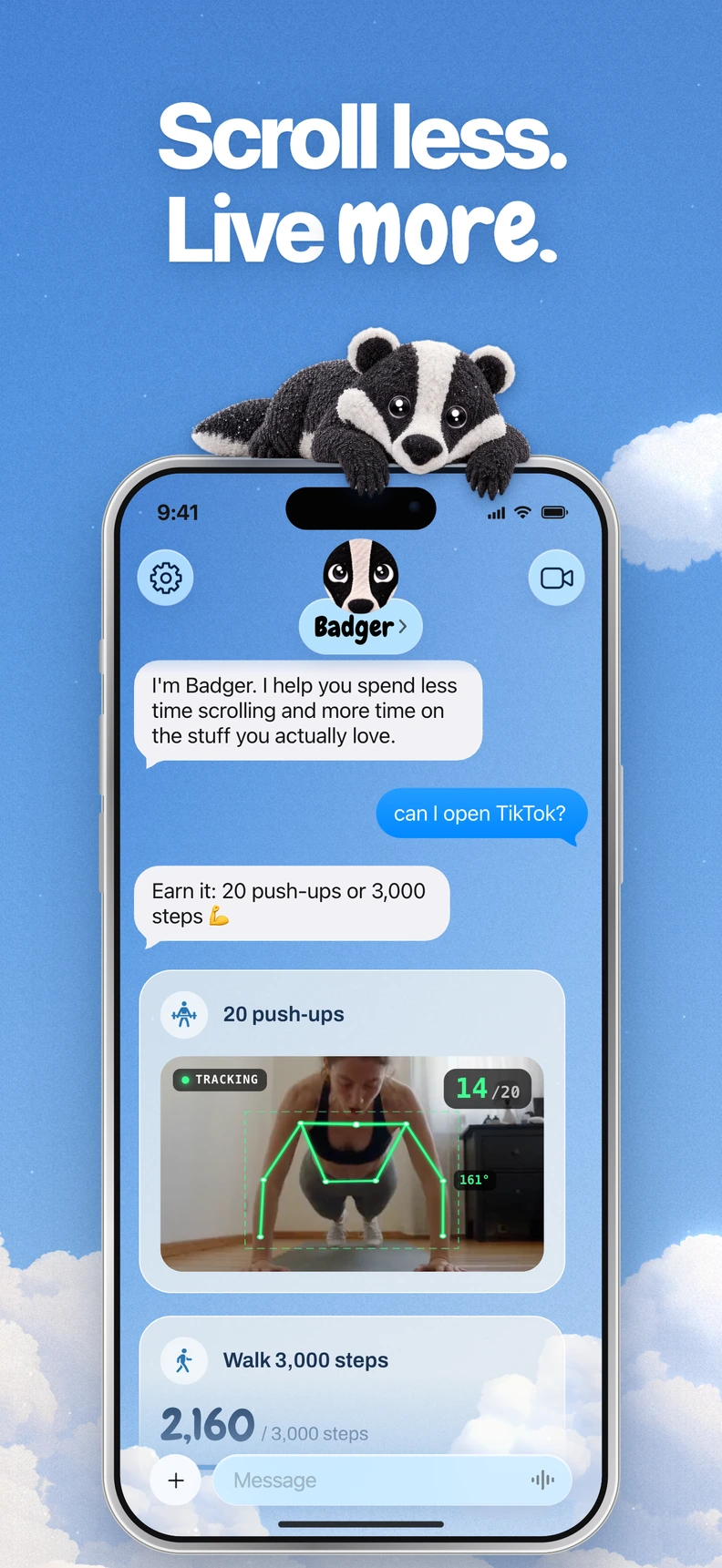
Badger is a personal AI agent focused on one thing: helping you live a more meaningful life. You can text it about what matters to you. It can make a plan, block distracting apps, and help you follow through.
Badger vs. Unpluq at a glance
The information in this table comes from Badger's App Store listing, Badger's public information and pricing page, and Unpluq's FAQ, checked November 9, 2026.
| Category | Badger | Unpluq | Best for |
|---|---|---|---|
| Supported devices | iPhone (iOS 18 or later; the App Store listing also supports iPadOS 18+) | iPhone and Android; the FAQ names iPhone 8+ and NFC-capable Android phones for the optional Tag | Unpluq if you need Android support |
| How blocking works | Select distracting apps through Apple's picker, authorize Screen Time, and organize apps into named groups | Configure schedules and a distraction barrier that stands between you and a blocked app | Unpluq if you want preset barriers; Badger if you want blocking tied to a plan |
| How access returns | Through your plan and a conversation with Badger; Emergency Unblock is available without AI approval or AI credit | Complete a chosen barrier, such as shaking, button taps, scanning a QR code, scrolling or a Random barrier; the NFC Tag is another option, and walking is Android-only | Badger if you want to discuss a plan with an agent; Unpluq if you prefer preset barriers |
| Personal support | Badger can remember goals and context you share, check in proactively, and adjust a plan when an approach isn't working | Self-configured schedules and barriers | Badger if you want agent support |
| Price model | Free to download and use today, with a weekly AI allowance; no subscription on the current pricing page | Free permits two blocked apps, one schedule and two barriers; Premium expands limits and is required to use the Tag | Depends on the limits and features you need |
Both blockers can be bypassed or removed. Consider which access rules suit you and how much flexibility you want.
Badger or Unpluq? Three use cases
You use an iPhone, and the same app serves different purposes
Say you use an app for work research, a deliberate break, and scrolling late at night when you don't want to. Calling all that app use “waste” is a mistake.
Badger is built for that distinction between intended and actual use. When you make a plan with Badger, it might involve walking steps, a daily step goal, getting to the gym, a photo, or another supported action. Badger can remember goals and context you share, and you can discuss changed circumstances. Repeated requests don't guarantee that an active commitment will be cancelled, though Badger can adjust a plan when an approach doesn't fit.
Unpluq lets you choose barriers in advance, which can suit someone who wants consistency. Badger can adjust a plan when circumstances change.
You want a hardware option or need an Android app blocker
Unpluq's NFC Tag is a physical key you can deliberately carry or keep in an inconvenient location. The Tag requires Premium and an NFC-compatible phone, so check your phone model and operating system before assuming it will work.
You can also use Unpluq's digital barriers without a Tag. If any of your distracting apps are on an Android device, Unpluq supports that platform, too. Badger's public focus is iPhone.
You prefer a preset barrier
With Unpluq, you set up a schedule and choose your barriers in advance, so you know which barrier you've set for an app such as Instagram. The free tier lets you block two apps, create one schedule, and choose two barriers, which may be enough for a narrow problem.
With Badger, a useful plan considers both when help would fit and what help you want. You can discuss and adjust a plan when an approach doesn't fit, rather than treating it as a rigid rule.
Deciding factor checklist
- Which device do you want to block apps on? Both work on iPhone; Badger's App Store listing also supports iPadOS 18+, while Unpluq also supports Android.
- Do you want to tie blocking to a goal or supported action, or use a preset barrier?
- Would a physical key help, or would you rather use a digital barrier? The Tag is optional in Unpluq; Badger does not require dedicated hardware.
- How many apps and schedules do you need? Unpluq's free tier permits two blocked apps and one schedule.
- Do you want an agent that checks in and can adjust a plan, or do you prefer self-configured schedules and barriers?
- Check Badger's pricing page for the current weekly AI allowance and emergency-unblock rules, and Unpluq's FAQ for its limits.
FAQ
Do I need the physical Tag to use Unpluq? No. It's one option among several barriers, including shaking, button taps, QR scans, scrolling and a Random barrier. Walking is Android-only.
Can I turn off Emergency Mode in Unpluq? Yes. The FAQ documents Emergency Mode for five minutes once per day, with an option to disable it. Badger's Emergency Unblock works without AI approval or AI credit.
Can I connect another assistant to Badger? Optionally, a compatible external assistant can connect to request blocks or unblocks, but active commitments may reject requests. You don't need another assistant to use Badger; see the connect guide for details.
What to do now
If Badger's approach fits, download it free from the App Store, pick the apps you want to block through Apple's picker, and make a plan with Badger before the next risky window. If you'd rather use Unpluq, start with the free version to test whether two blocked apps and one schedule cover your main problem. Then decide whether Premium and the Tag are worth it.
Sources
Questions or corrections? Use Badger Support. More on the Badger blog.